Features scheduled for release on 02/06/2026. The functionality detailed will not be available in the system until this date. However, please note that this is an ETA and may be subject to change.
Release Topics
- Mobile form uploads and permissions
Release Details
1. Mobile form uploads and permissions
Form uploads - Permissions
- There has been an update to some mobile permissons this month. Engineers can now upload and manage forms directly from the Joblogic app, making it easier to capture and share important documentation while on site.
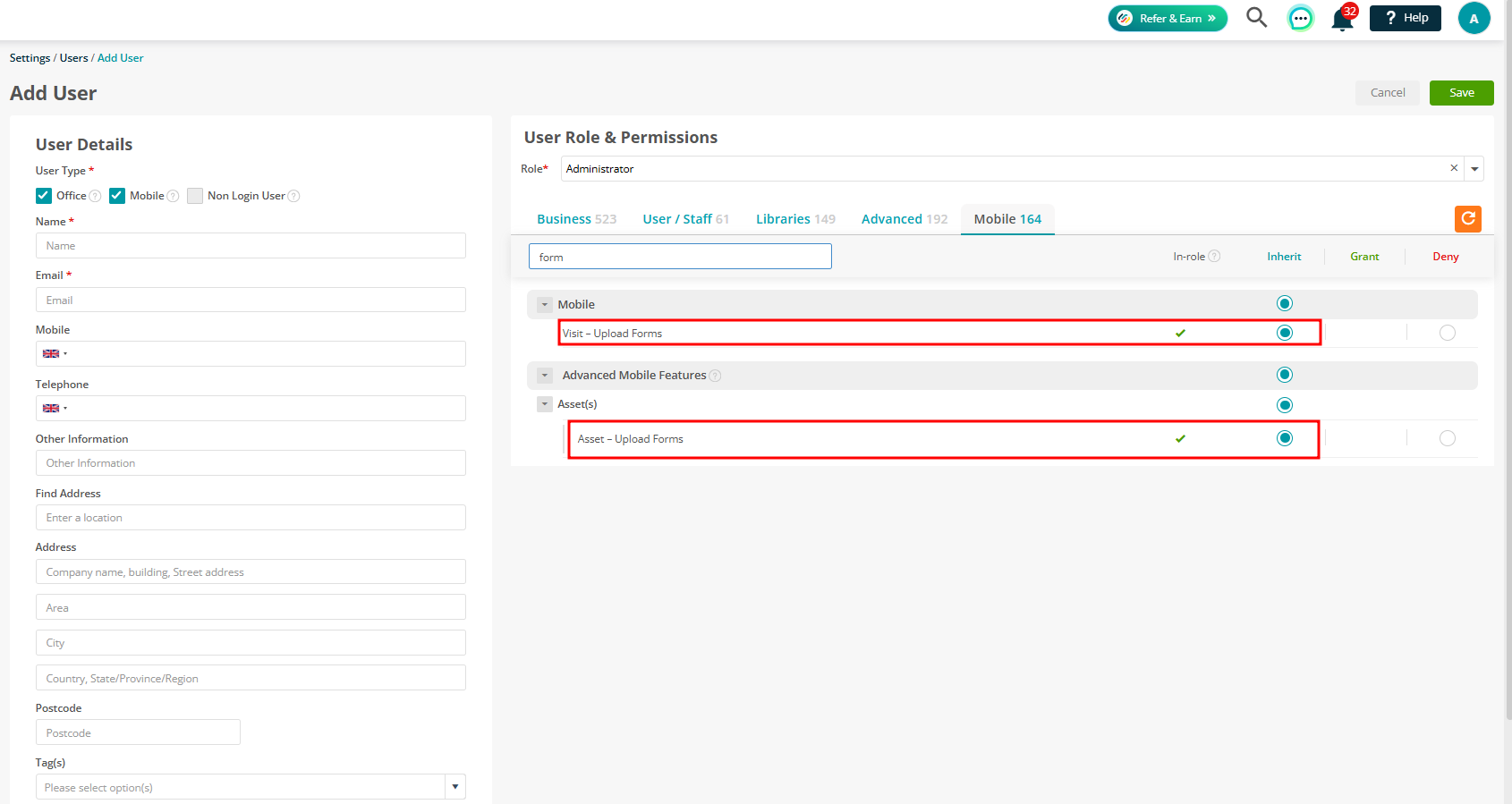
- The following permissions have been added under Mobile permissions:
- Visit - Upload Forms
- Asset - Upload Forms
- Administrator users are granted both permissions
- Engineer, Costing User and Job Desk users have both permissions denied by default
Visit Form uploads
Form uploads - Visits & Assets
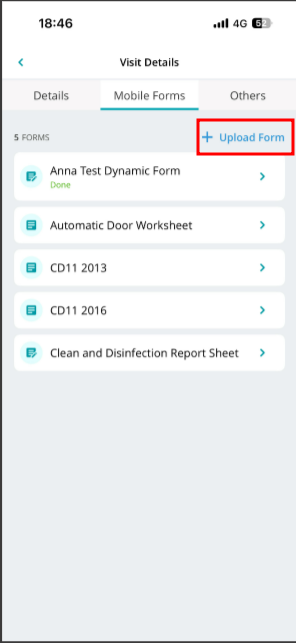
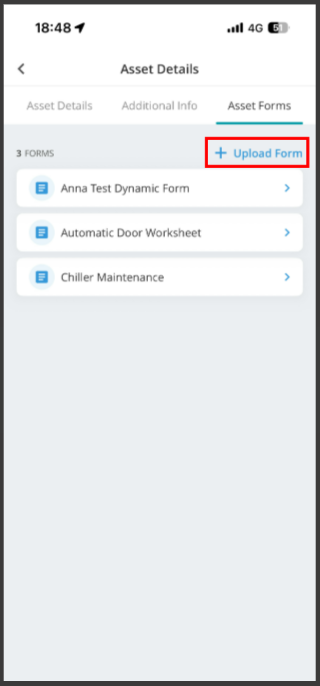
- A new Upload Form option has been added to Visit Details > Mobile Forms and also Asset Details > Asset Forms.
- Users can:
- Upload forms directly from the mobile app
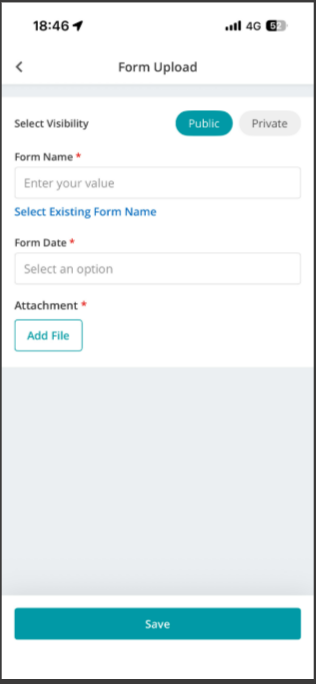
- Choose Public or Private visibility
- Enter a form name and date
- Attach supporting files
- Edit uploaded forms
- Delete uploaded forms when no longer required
- Uploaded forms are automatically removed from associated logbooks and listings when deleted.
Visit:
Asset:
Mobile logbook visibility
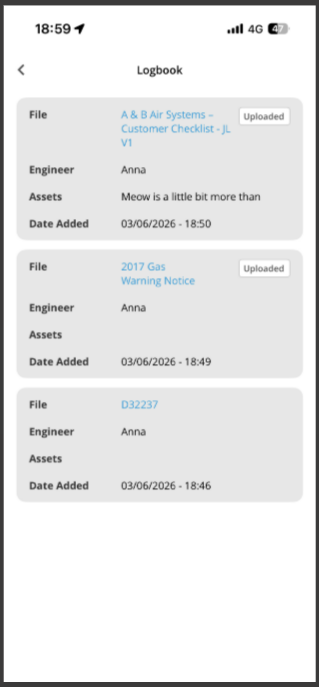
Visit Forms and Asset Forms uploaded through the mobile app are visible in
Mobile App > Visit Details > Other > Logbook
Bug fixes
- Fixed a crash occurring randomly on the Site Job History screen.
- Fixed a crash when processing IST (Indian Standard Time) timestamps.
- Fixed a crash in WebView on Samsung devices.
- Fixed an issue where the form data submitted from the mobile app was missing in the Back Office form logbook.
- Fixed the Quick Complete screen auto-marking a visit as complete when the user signed the Customer Signature field (should only complete on explicit action).
- Fixed an issue where text could not be copied in the Tasks section of a Visit (copy-to-clipboard now works consistently across Android and iOS).
- Fixed an issue where a toast notification appeared behind a popup overlay.
- Fixed an issue where the asset form remained visible on screen after finishing an action visit.
- Fixed an issue preventing form sync when a specific internal feature flag configuration was active.