Features scheduled for release on 02/04/2026. The functionality detailed will not be available in the system until this date. However, please note that this is an ETA and may be subject to change.
Release Topics
- Job Category control for PPM renewals
- Job Description in workflow emails
- Subcontractor PO template improvements
- Stock request templates & permissions
- Subcontractor planner improvements
Release Details
1. Job Category control for PPM renewals
-
This update gives you greater flexibility over how Job Categories are applied when renewing PPM contracts.
-
You can now choose whether renewed visits:
- Keep the Job Category from the original visit, or
- Follow the Job Category set on the renewed contract
-
A new setting has been added under: Settings > System Setup > Renewal Contract – Job Category Cascade
-
This allows you to define how Job Categories should behave during renewals.

Option 1: Retain original visit Job Category
- Each renewed PPM visit keeps the Job Category from the matching visit on the expiring contract. This is useful where different visits under the same contract need to keep their own specific categories.
Option 2: Use Job Category from renewed contract
- Visits created during renewal follow the Job Category on the renewed PPM contract. This helps keep all renewed visits aligned to one consistent category.
2. Job Description in workflow emails
- A new {{job description}} placeholder is now available in the Send Email action within Custom Workflow rules.
- The placeholder can be added through the dynamic placeholder list or typed directly into the email body.
- When the workflow runs, the email pulls the Job Description from the related Job Details record.
- This means automated emails include clearer context, helping reduce manual edits and follow-up questions.
.png)
3. Subcontractor PO template improvements
- Purchase Order templates have been enhanced with additional dynamic tags, including:
- Converted currency totals
- VAT fields
- Job Ref 1
- Custom reference numbers
- This give you greater flexibility when creating POs, making them clearer and more suitable for different requirements.
- To read more on setting up document templates, click here.
4. Stock request templates & permissions
Templates
- Next up is a new addition to the Stock Requests app.
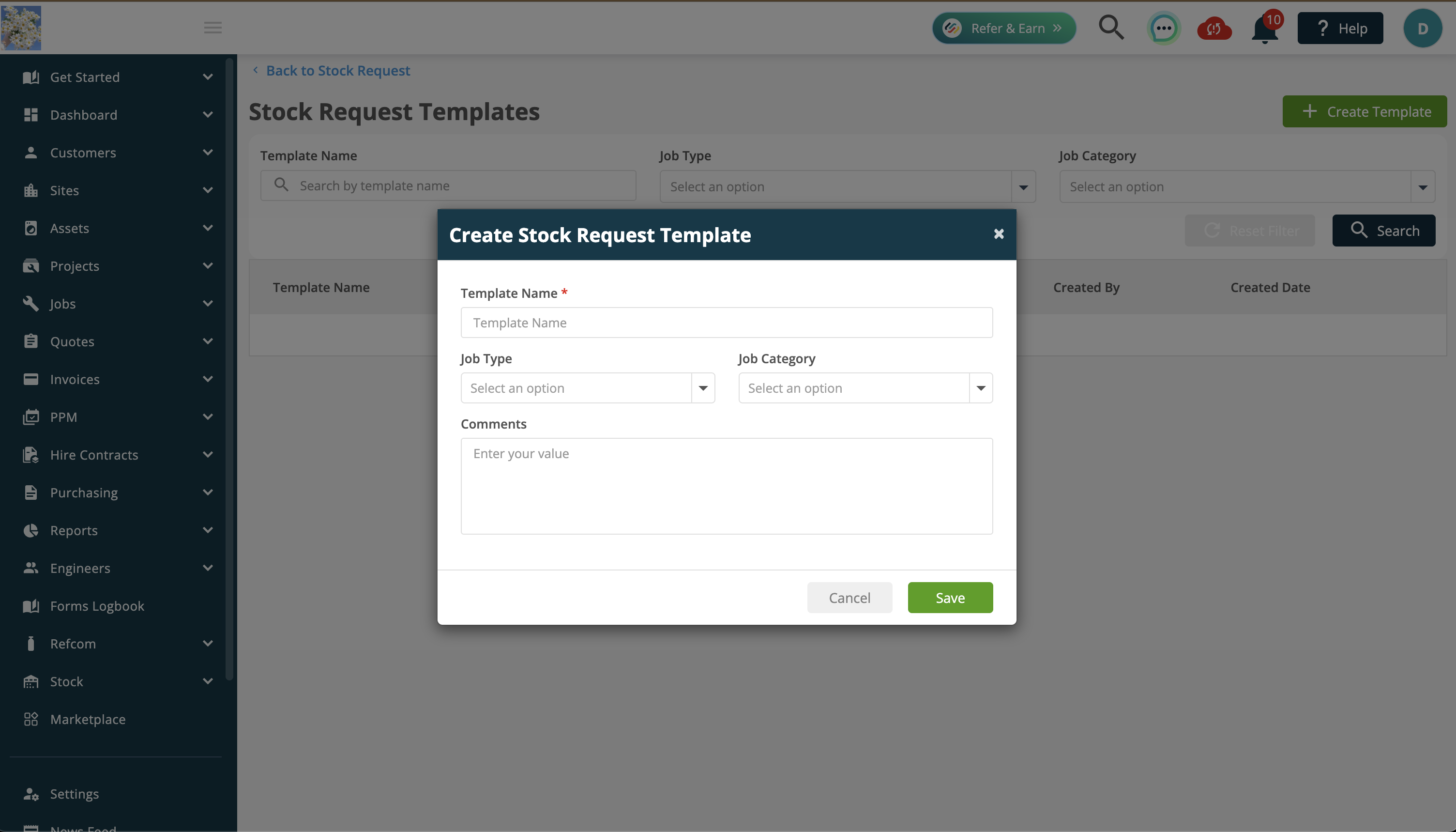
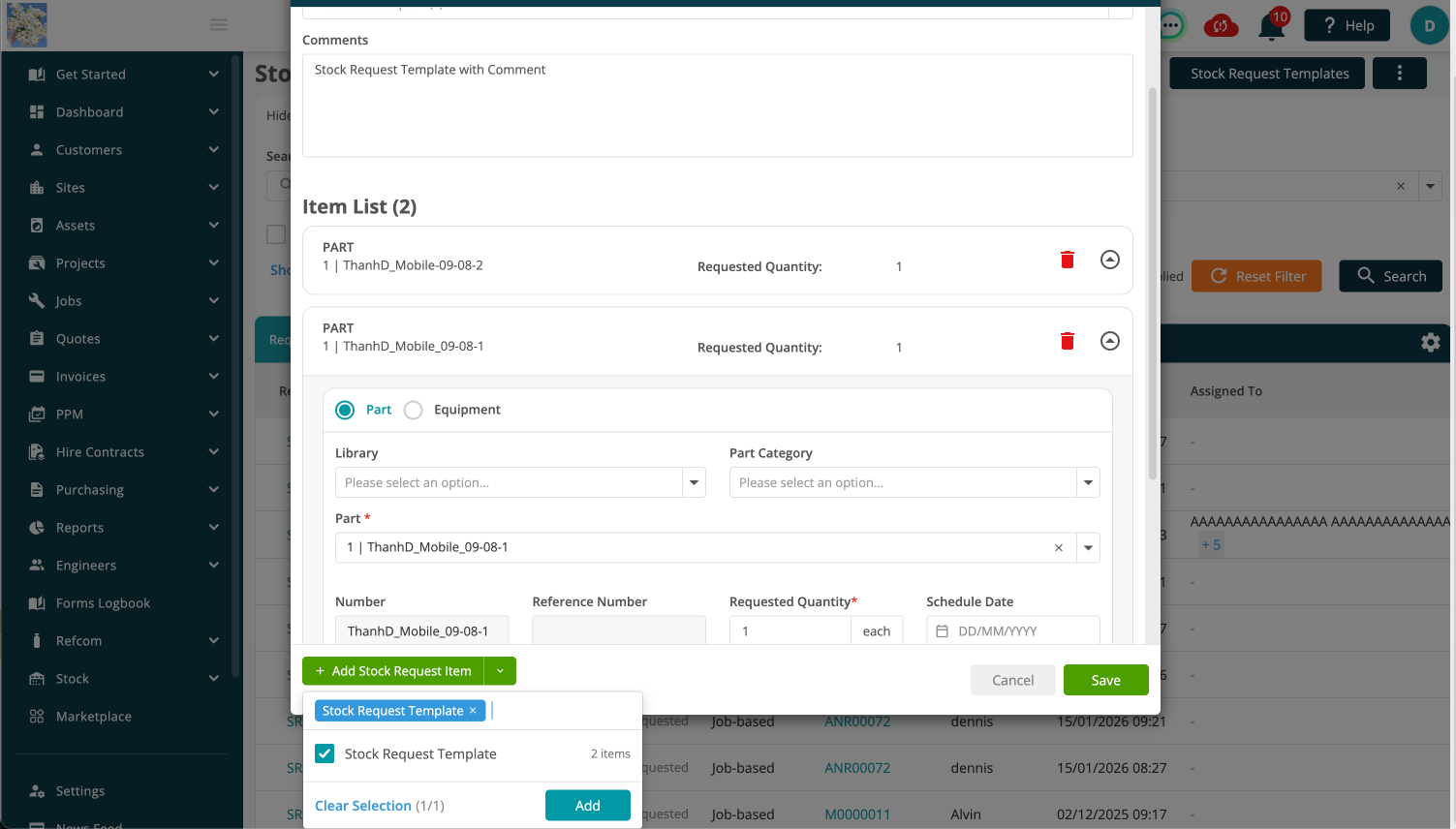
- You can now create Stock Request Templates to speed up repetitive requests!
- Create templates with predefined parts and quantities.
- Apply them in Back Office or Mobile.
- Automatically populate stock requests.
- This reduces manual entry and ensures consistency across stock requests.
Permissions
- Additional permissions have been added to the Stock Request app, giving you more control over user access and helping ensure the right people can perform the right actions.
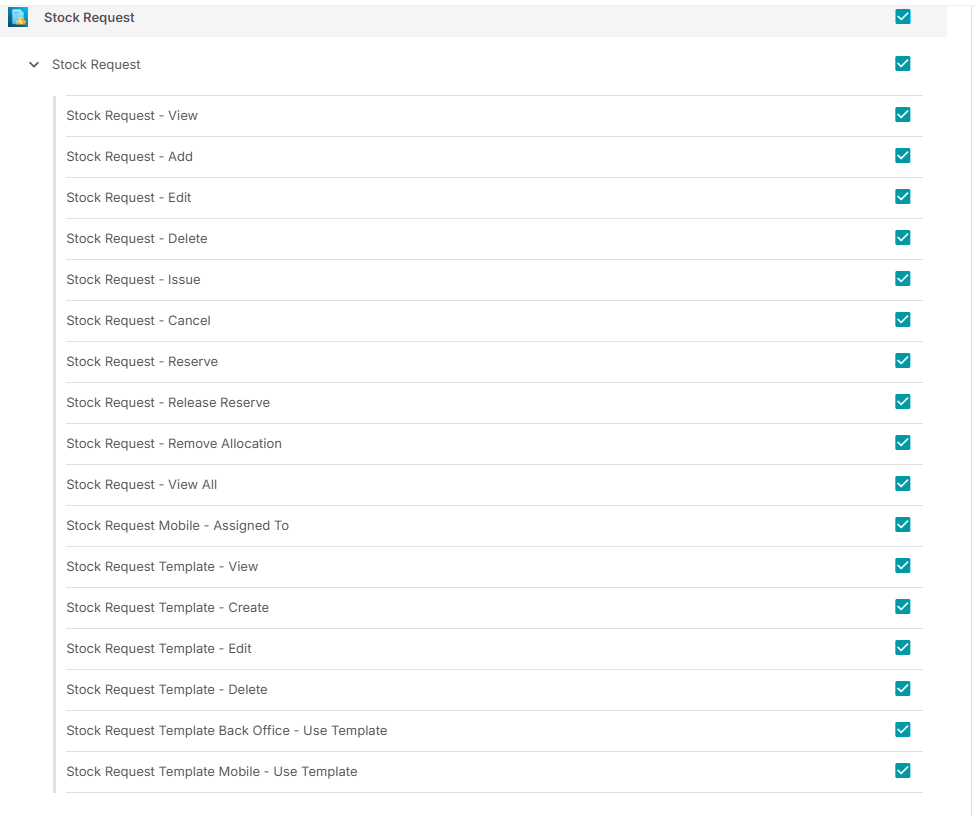
- Click here to explore the latest additions to the Stock Requests app.
5. Subcontractor planner improvements
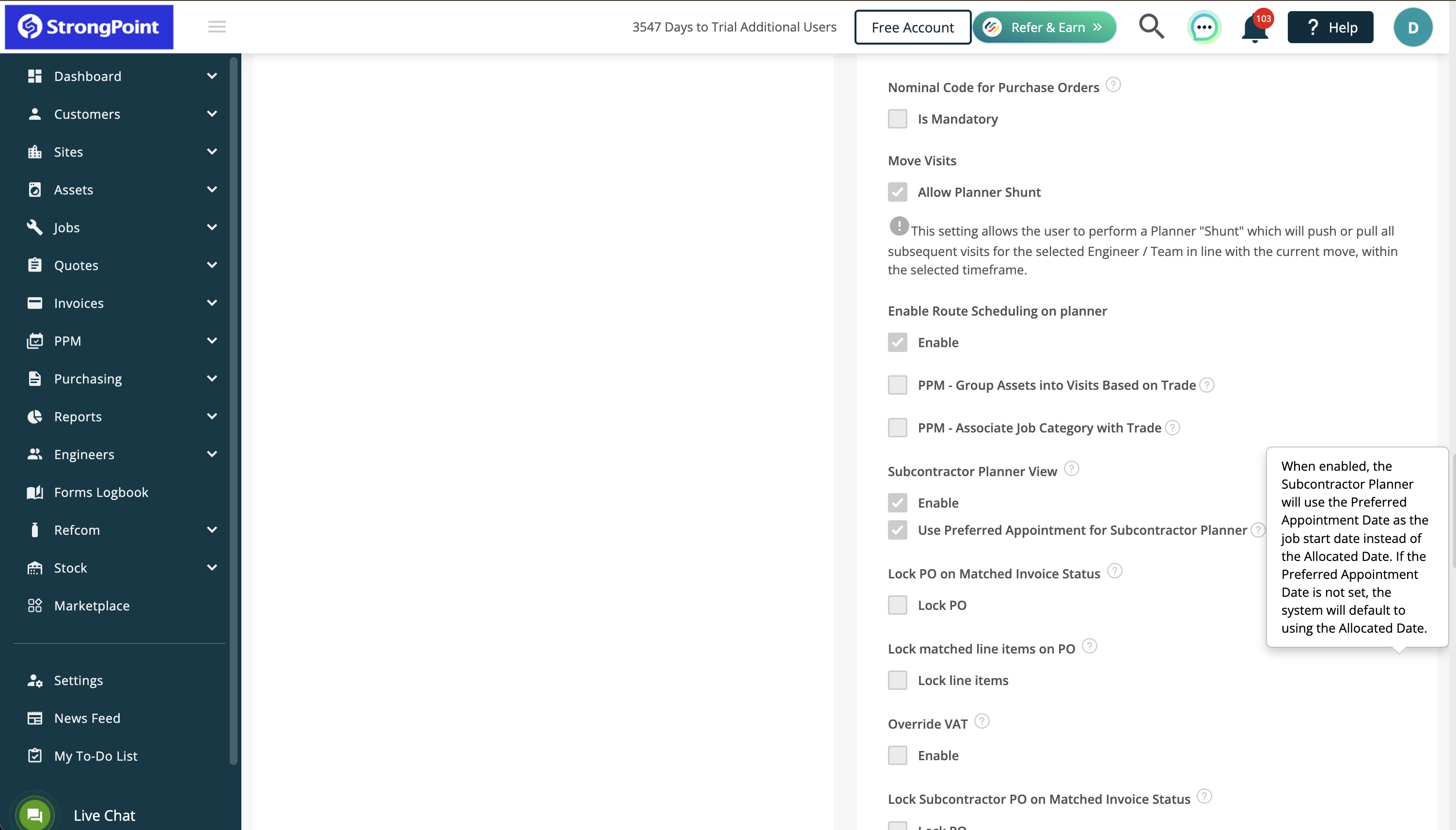
- The subcontractor planner has been enhanced to better reflect scheduling expectations.
- You can now choose to use the Preferred Appointment Date as the job start date instead of the allocated date.
- If no preferred appointment date is set, the system will default to using the allocated date.
- This improves visibility of subcontracted work and ensures schedules align more closely with how your business plans and manages jobs.
Bug Fixes 🐞🛠️
We’ve resolved several issues to improve system performance and reliability:
- CPO emails can now be sent via the MS 365 Integration instead of ‘noreply’
- Visits with 00:00 start/end times now correctly appear in the planner (including travel time)
- New permission added to restrict Customer Portal access to PPM invoices
- “Quantity on Order” now displays correctly in Stock Records
- API Site/GetAll issue resolved
- FixedDuration rule updated for Public API visit creation
- Cancelled PPM Contracts now display correctly when linking to Customer Contracts
- Assets marked “on quote” now display correctly
- You can now save new stock items to the Equipment Library from Stock Records
- ‘Deploy to Mobile’ setting now saves correctly on recurring jobs
- Duplicate job entries on mobile devices have been resolved
- Job status now correctly updates after cancelled visits
- Job Type and Job Category now display and update correctly when upgrading quotes
- PO approval issue resolved
- Batch invoice emailing issue fixed (missing contact emails)
- JobRef2 can now be removed via the API
- Job status remains “Completed” when adding time to invoiced jobs
Sage 50 Integration Fixes
- Customer export failures due to missing fields have been resolved
- Schedule sync will no longer run twice
- Subcontractors now correctly sync and display in Joblogic
- Older subcontractor records now sync correctly
- CIS Module v2 compatibility ensured
- Integration settings now sync as expected
- Manually updated Sage records now sync correctly into Joblogic