Features scheduled for release on 08/04/2026. The functionality detailed will not be available in the system until this date. However, please note that this is an ETA and may be subject to change.
Release Topics
- Project management improvements
- Equipment hire enhancements
- Service job updates
Release Details
1. Project management improvements
Show associated customers only
- You can now filter and select only customers associated with a chosen site when creating or updating Projects and Project Quotes.
- The checkbox is available on both Projects and Project Quotes
- It becomes available when the selected site has associated customers
- The Customer dropdown will display only relevant associated customers
.png)
Link projects with customer contracts
- Projects and Project Quotes can now be linked directly to Customer Contracts, improving visibility between project work and contract agreements.
.png)
Automated committed cost calculation
- Committed costs for Time & Material projects can now be automatically calculated from outstanding Purchase Orders.
- Includes Supplier and Subcontractor Purchase Orders
- Costs update automatically based on outstanding values
- Committed cost reduces to £0 once all related items are invoiced
.png)
.png)
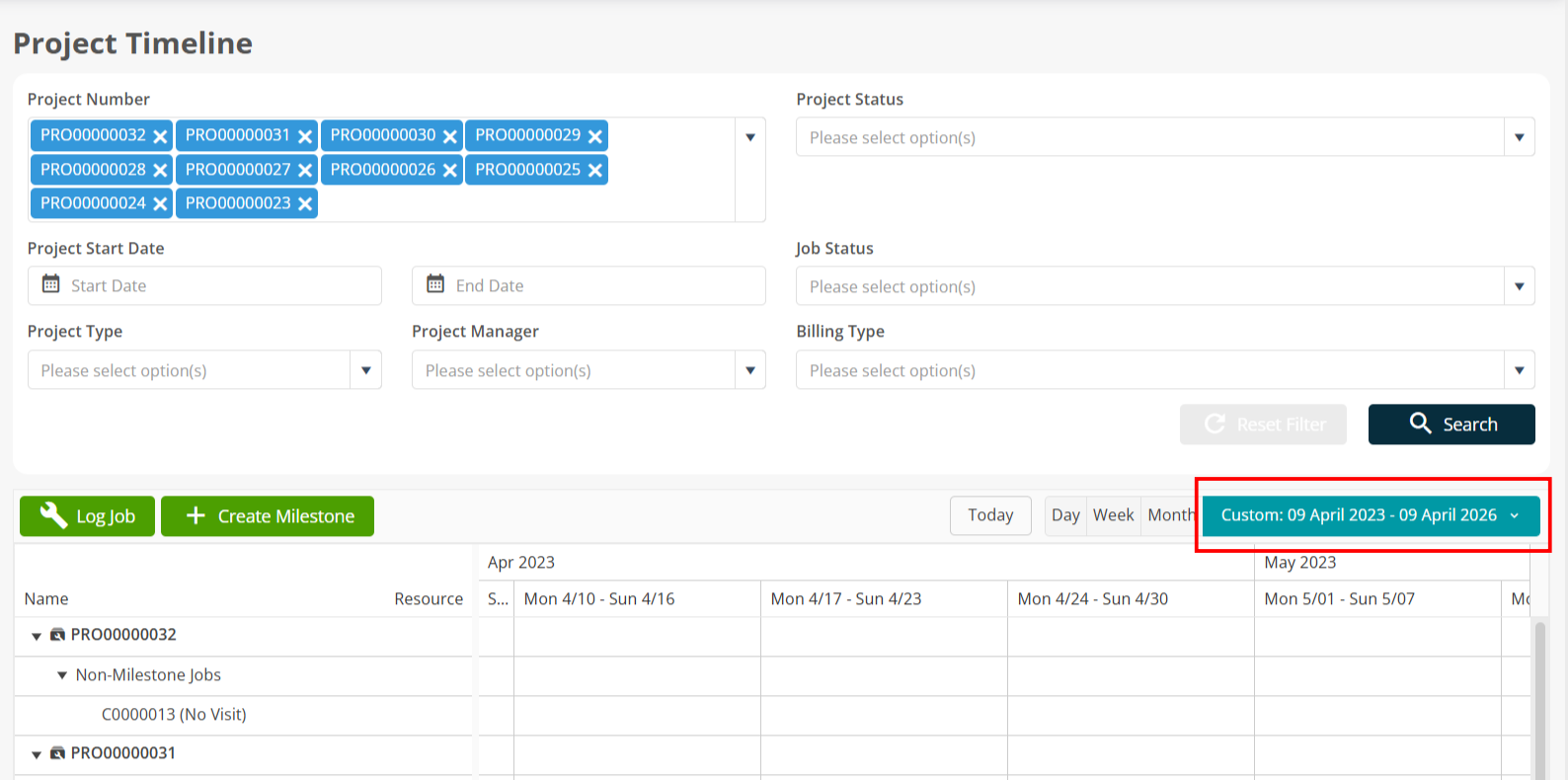
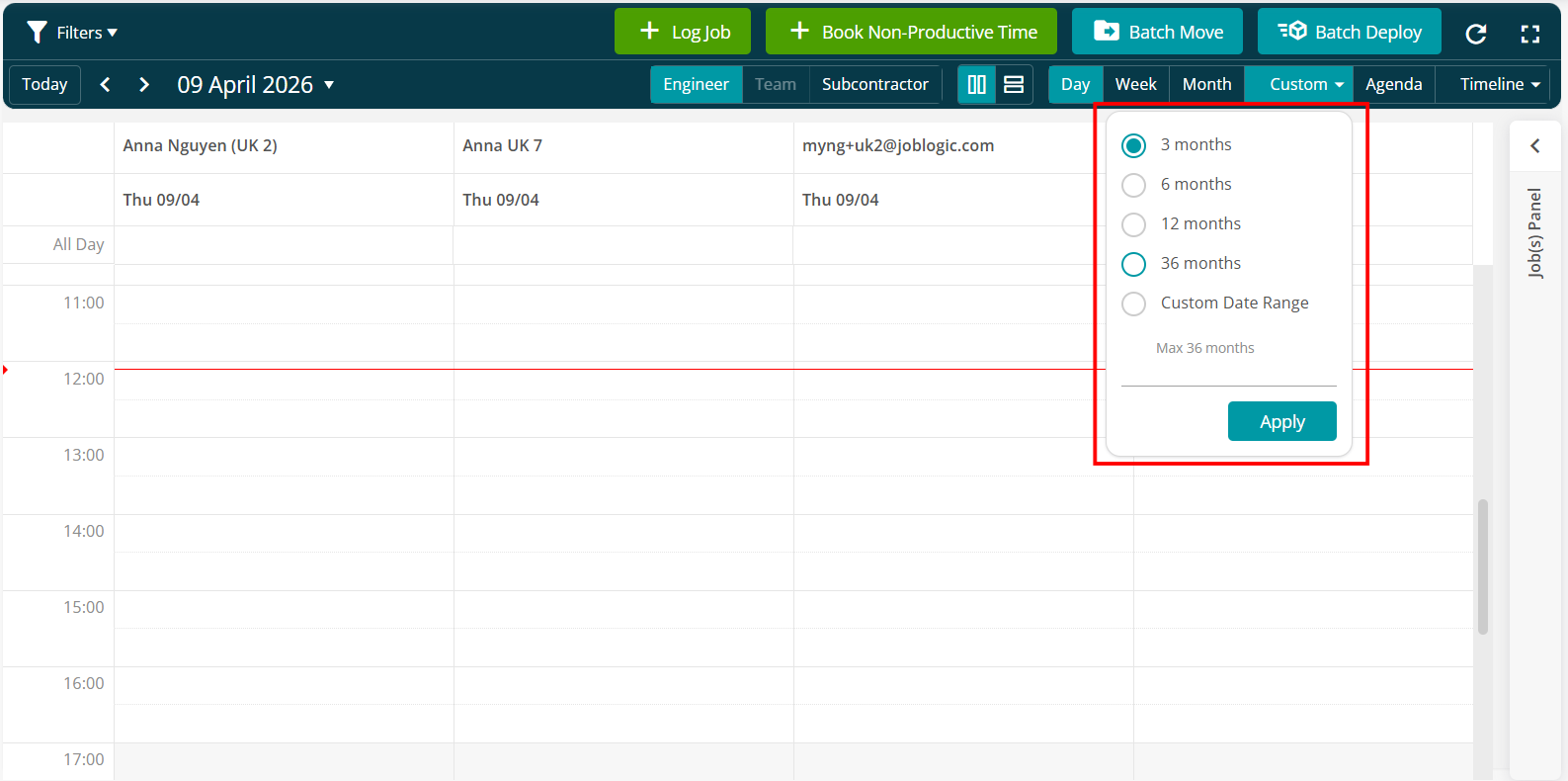
Custom date range support
- Project timelines can now be configured for up to three years.
- Applies to both the Project Timeline and Project Planner
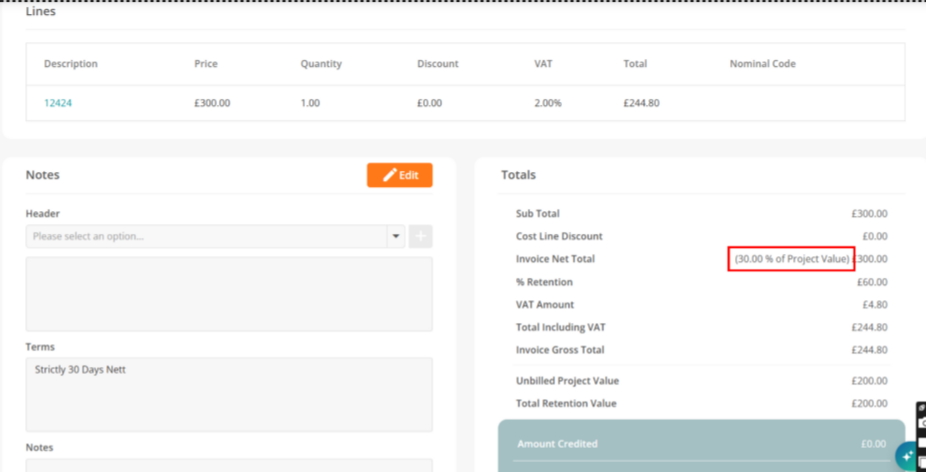
Invoice value as a percentage of project total
- Invoices and applications can now display values as a percentage of the total project value, making it easier to track invoicing progress.
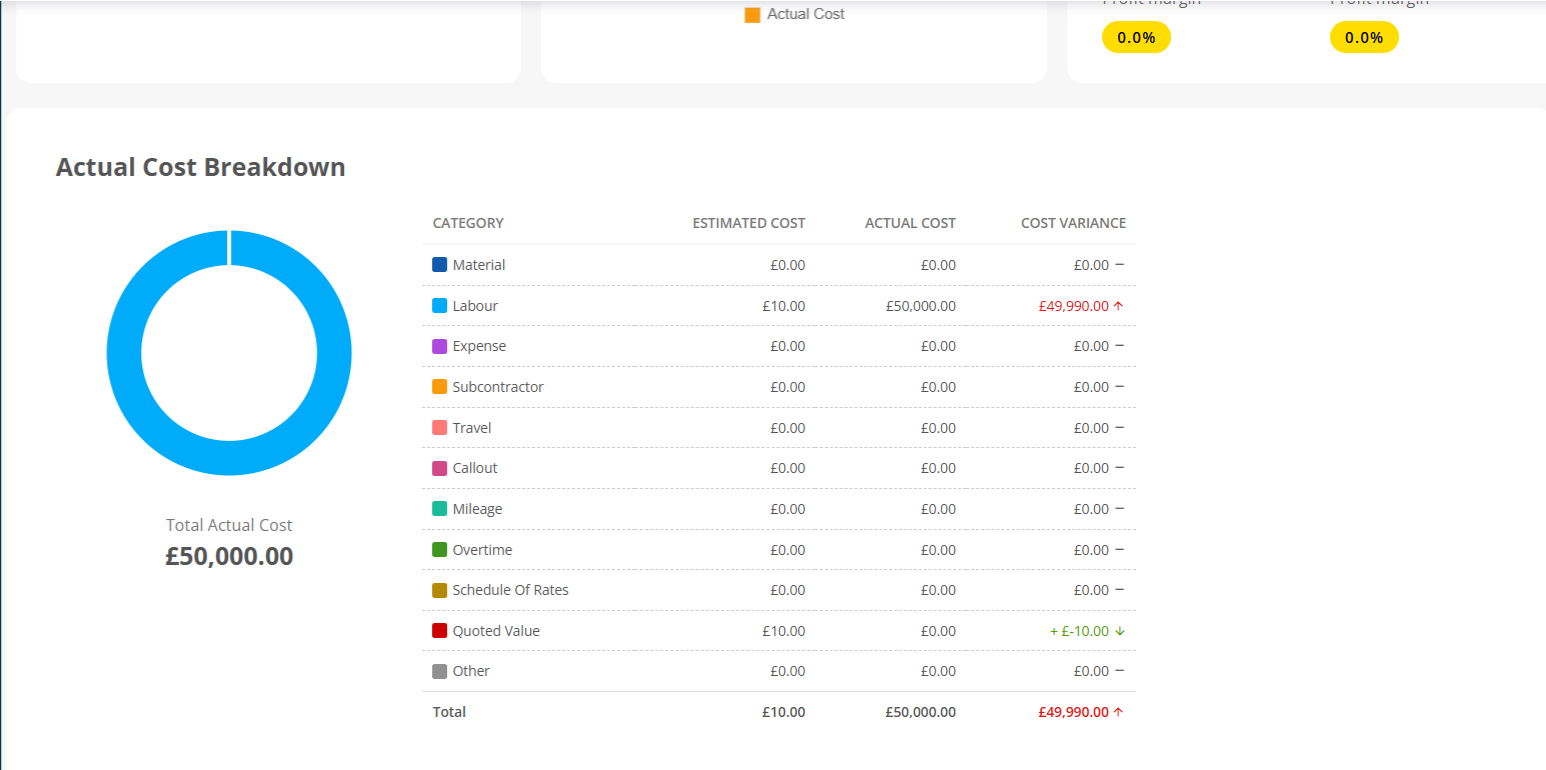
Quoted vs actual cost and profit breakdown
- You can now compare quoted (estimated) costs and profit alongside actual values, helping to better assess project performance.
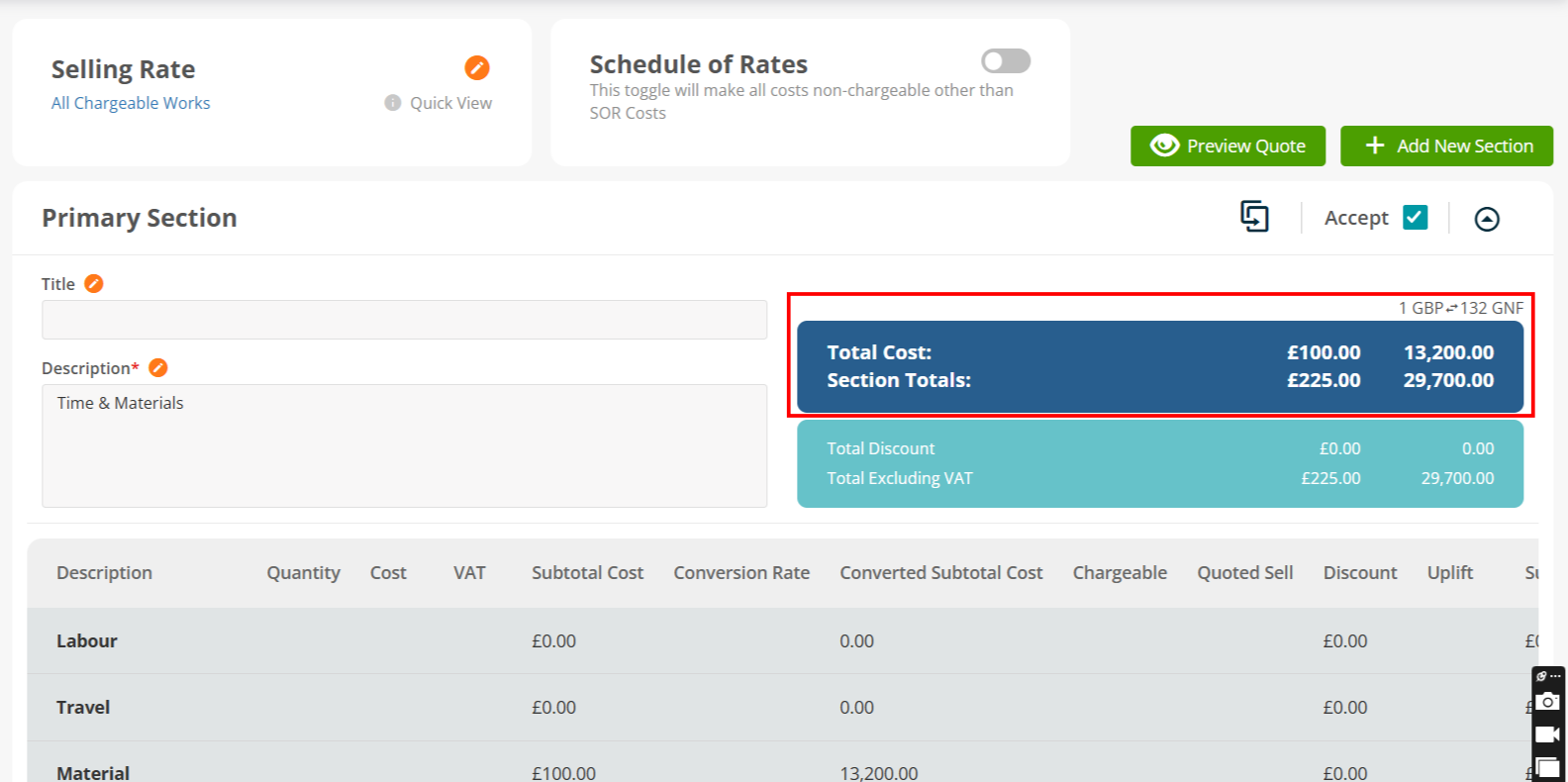
Cost totals within quote sections
- Total cost values are now visible within each section of a project quote, making it easier to validate profitability at a more detailed level.
Dashboard improvements and additional filters
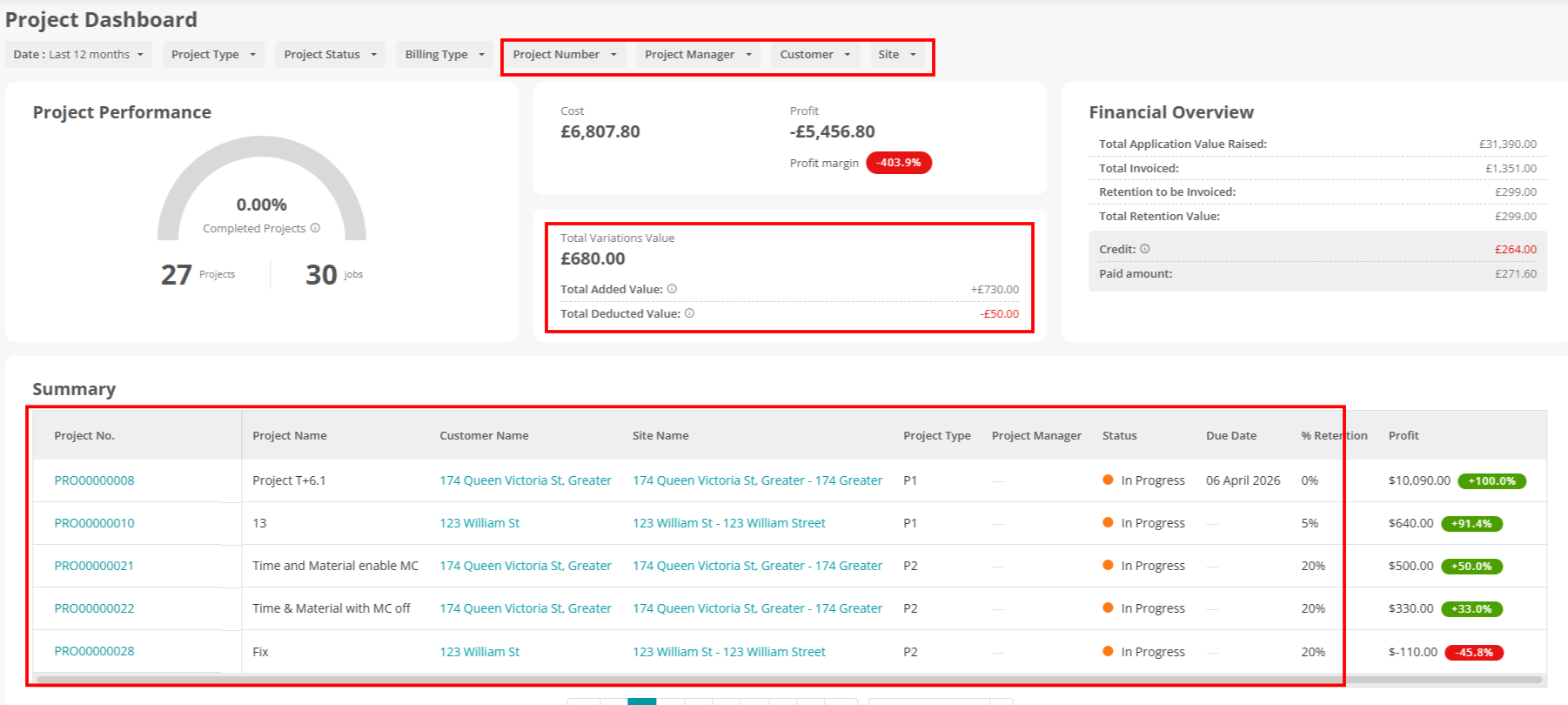
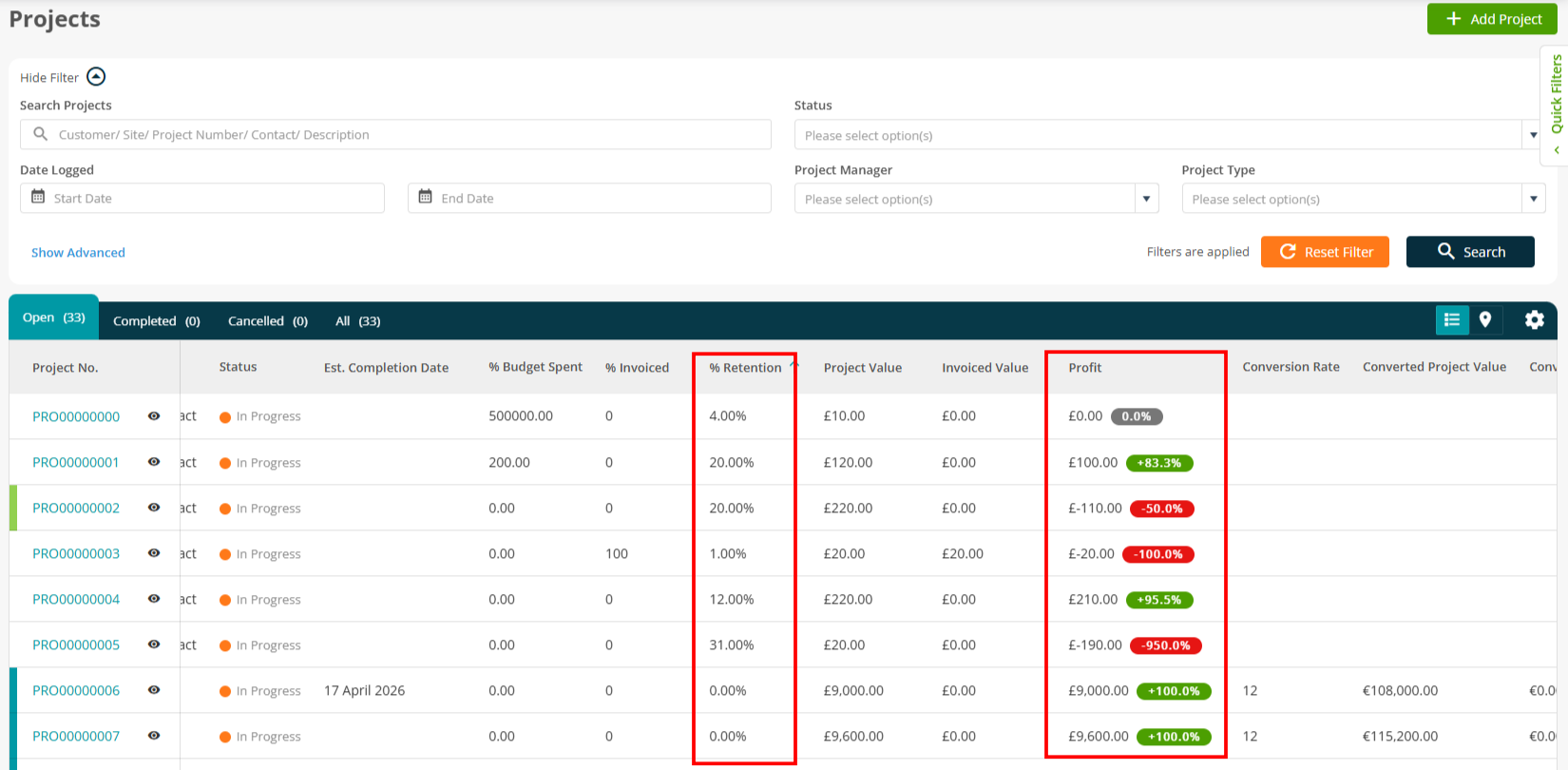
- Project dashboards have been enhanced with additional columns, filters, and clearer terminology.
- New columns include Customer Name, Site Name, Project Number, Profit, and Retention %
- New filters include Project Number, Project Manager, Customer, and Site
- A new “Total Variations Value” field has been added, sourced from Job Variations
- Wording updates:
- “Project Value Remaining After Invoice” is now “Unbilled Project Value”
- “Cost Breakdown” is now “Actual Cost Breakdown”
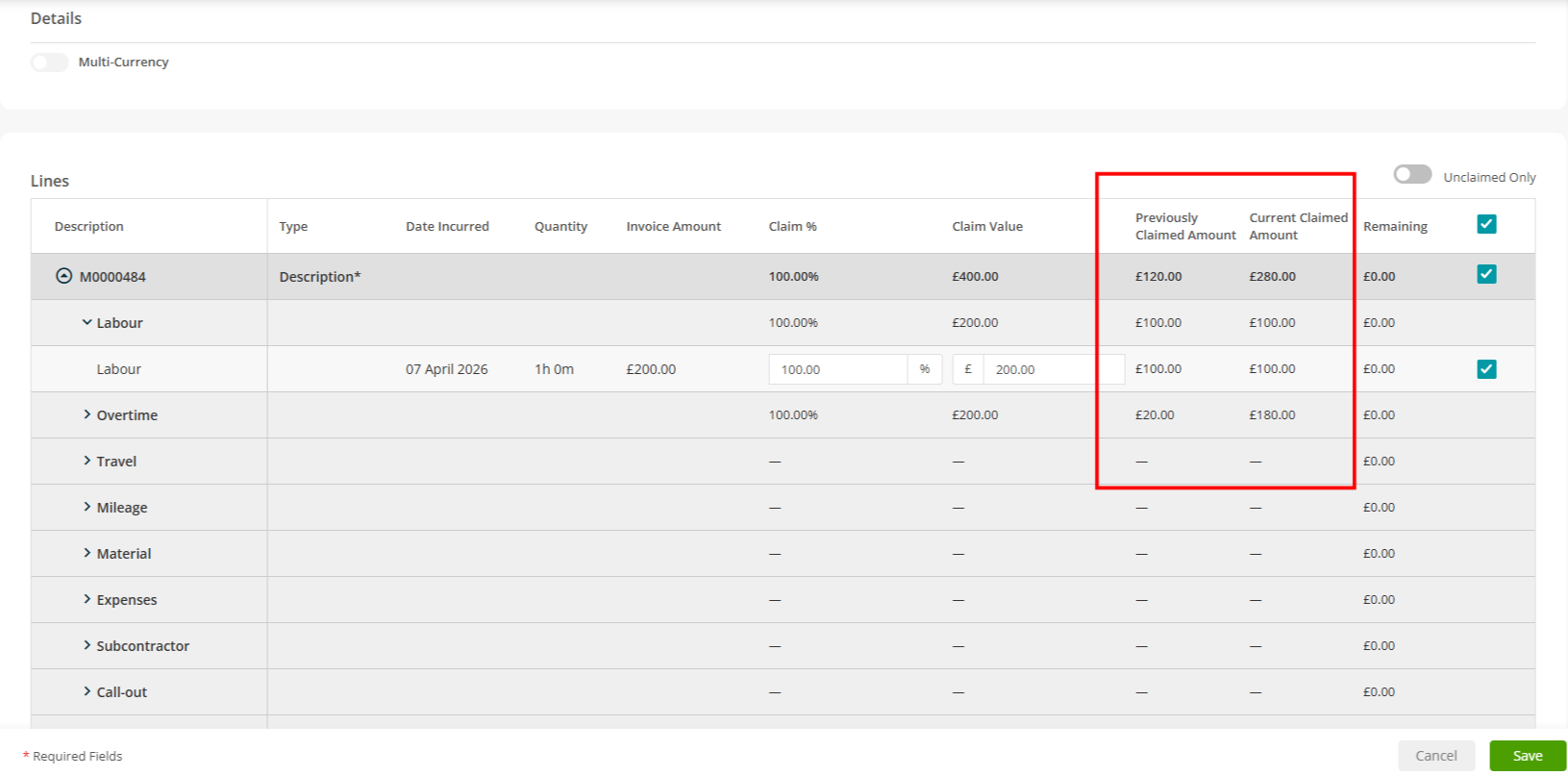
Application and invoicing improvements
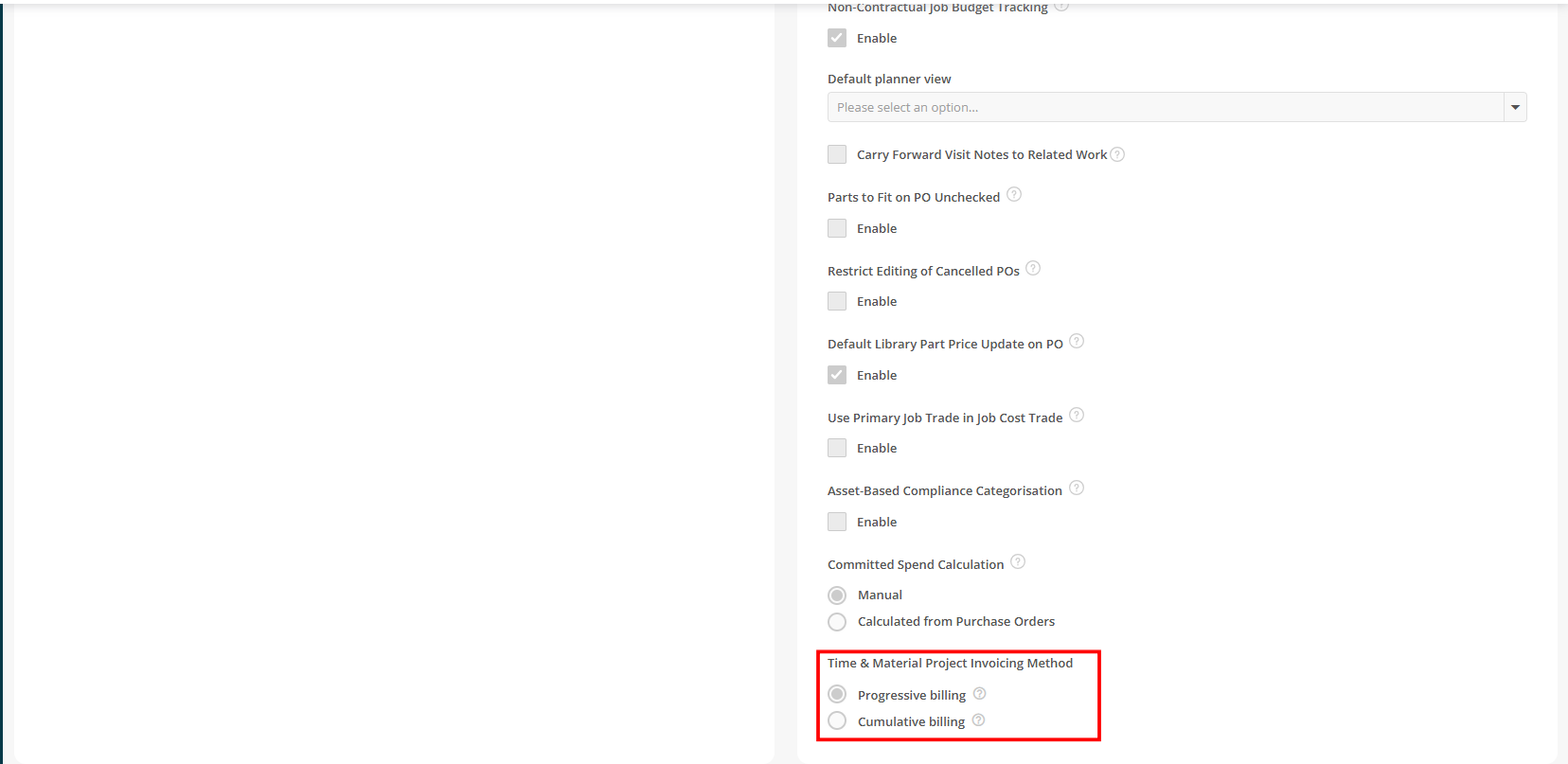
- Enhancements have been made to support more flexible invoicing for Time & Material projects.
- Supports partial invoicing (claims)
- Improved cumulative billing logic to prevent over-invoicing
- New DOCX tags are available for invoice templates:
- Claim %
- Claim Amount
- Previously Claimed Amount
- Current Amount to Claim
2. Equipment hire enhancements
Hire assets available on PPM and reactive jobs
- Hire assets can now be assigned directly to PPM contracts and jobs, giving better visibility when managing maintenance.
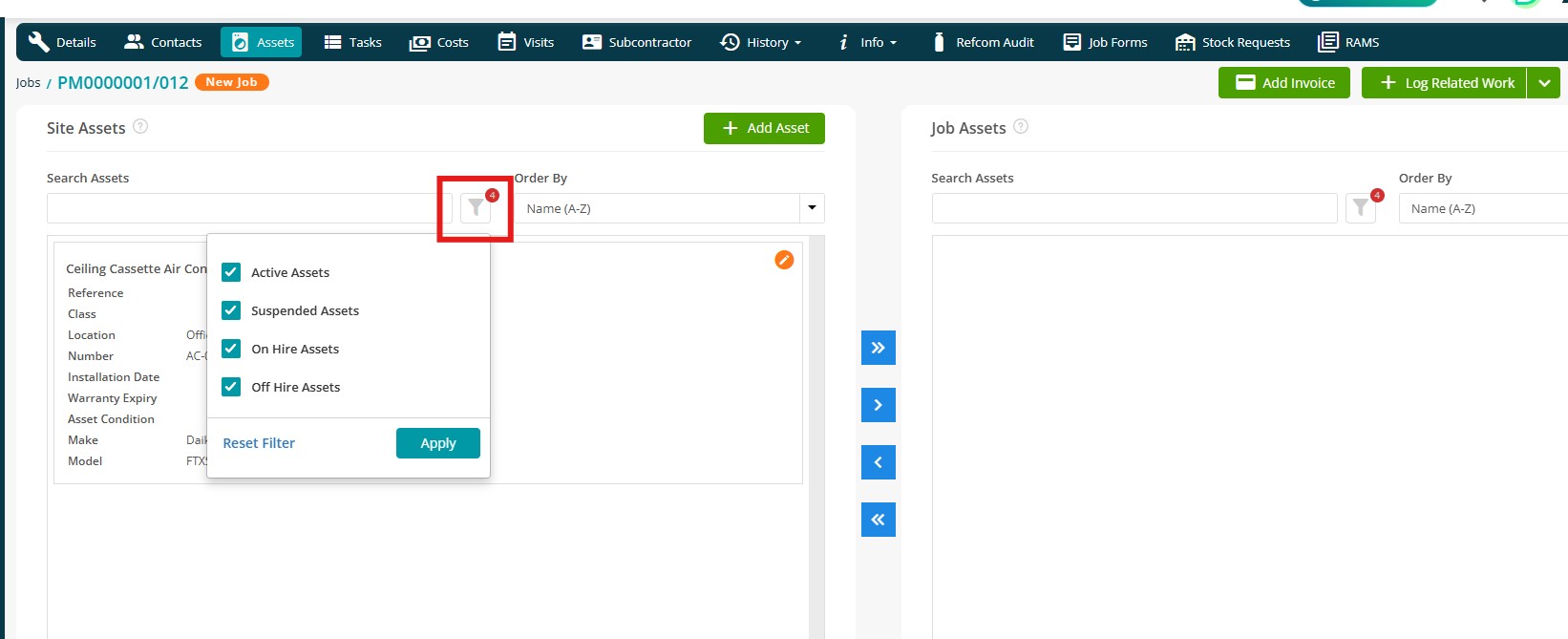
- The Assets tab on PPM and Reactive Jobs now includes hire assets too!
- Simply filter by Active, Suspended, On Hire, and/or Off Hire as needed.
- Asset listings display hire status and include a clickable hire contract reference
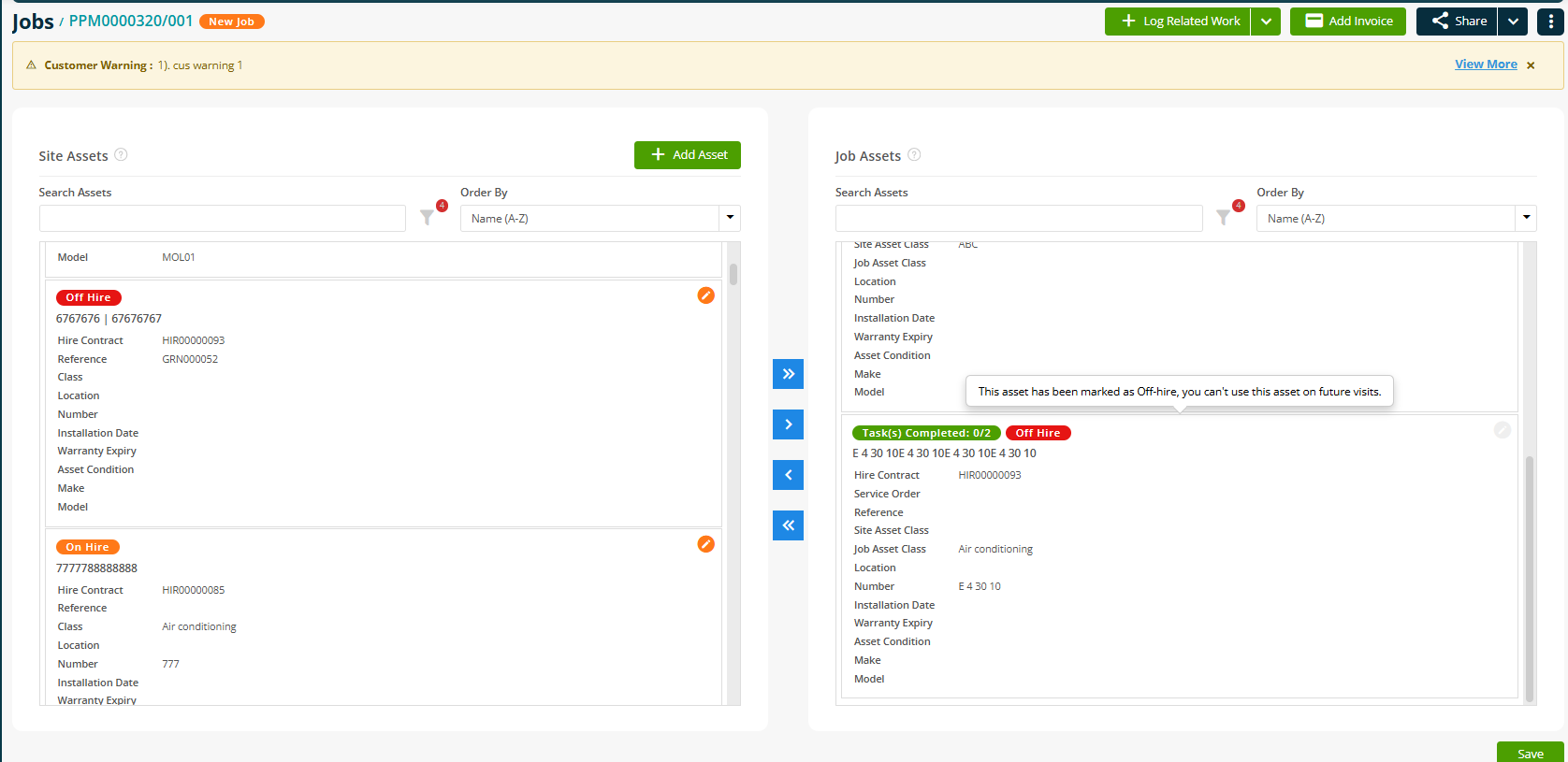
Improved handling of off-hire assets
- The system now manages job behaviour when assets are taken off hire to prevent scheduling issues.
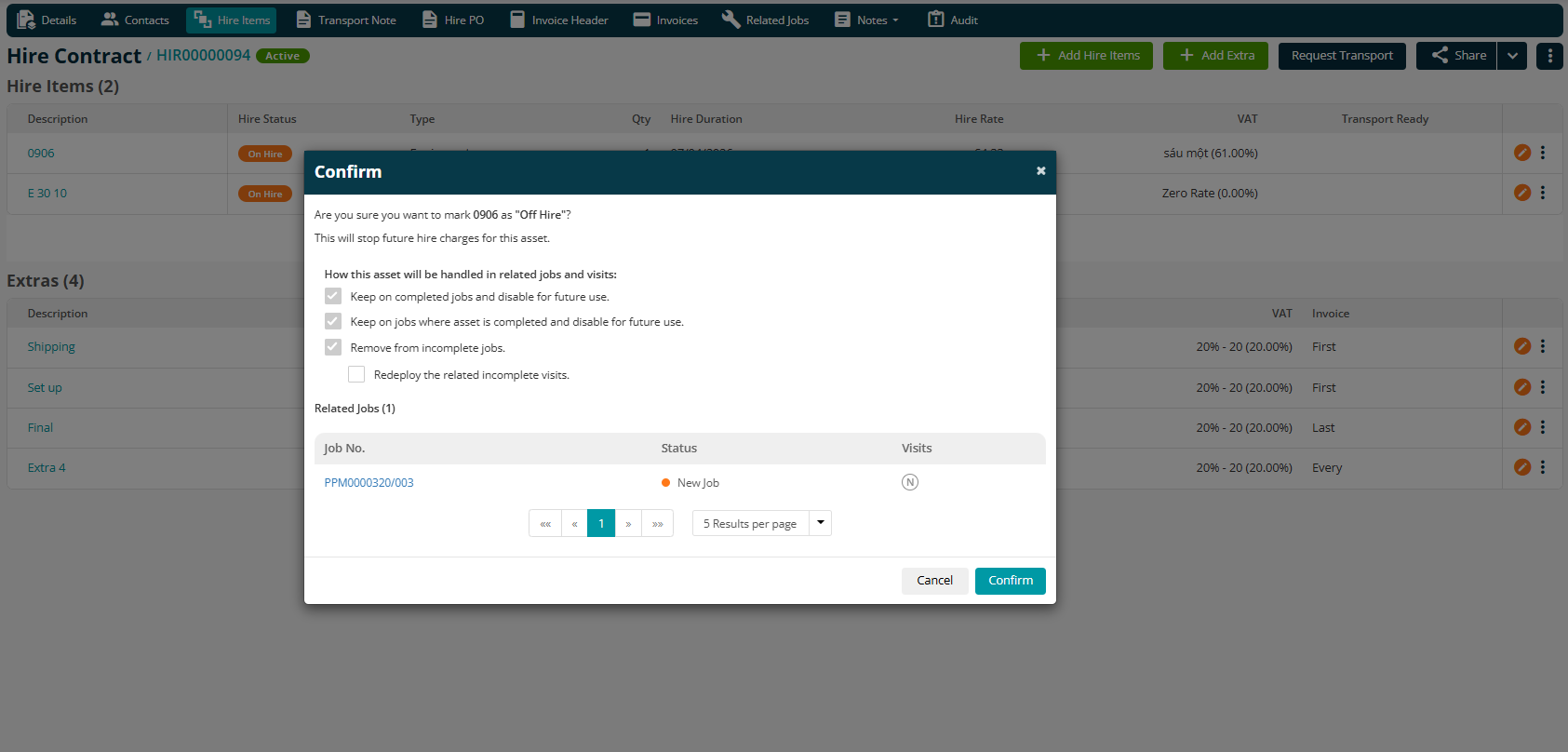
- A confirmation alert shows impacted jobs, including Job Number, Job Status, and Visit Status
- Assets are automatically removed from jobs in “New Job” status
- Assets used in completed visits remain recorded but are disabled for future use
- Off-hire assets are no longer visible on mobile visits
- An audit trail is recorded when assets are removed automatically
New hire contract filters
- New filters have been added to improve visibility across contracts and jobs.
- PPM Contracts can now be filtered by Hire Contract
- Jobs can be filtered by Hire Contract
- Hire Contracts can be filtered by Job Number
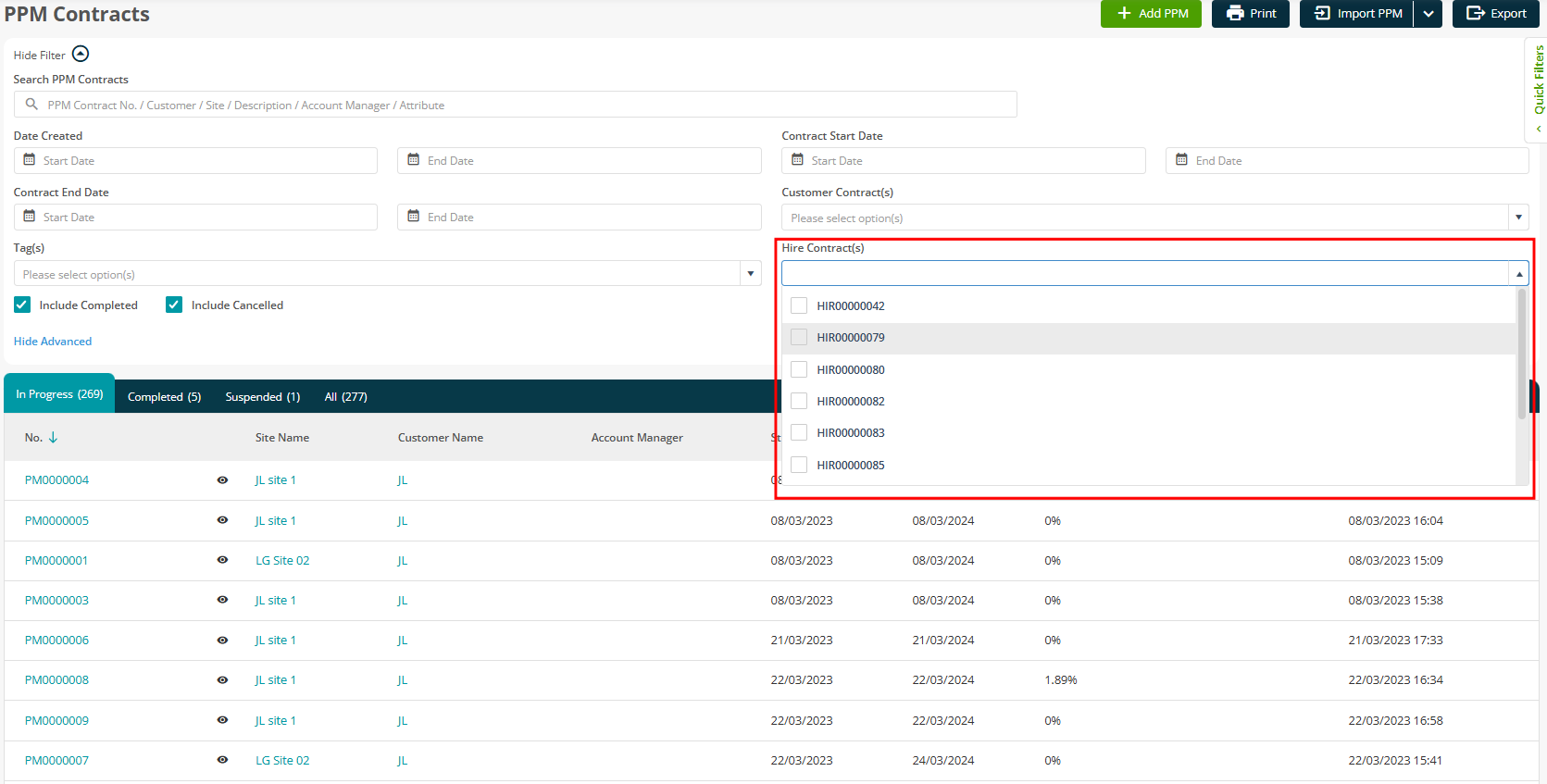
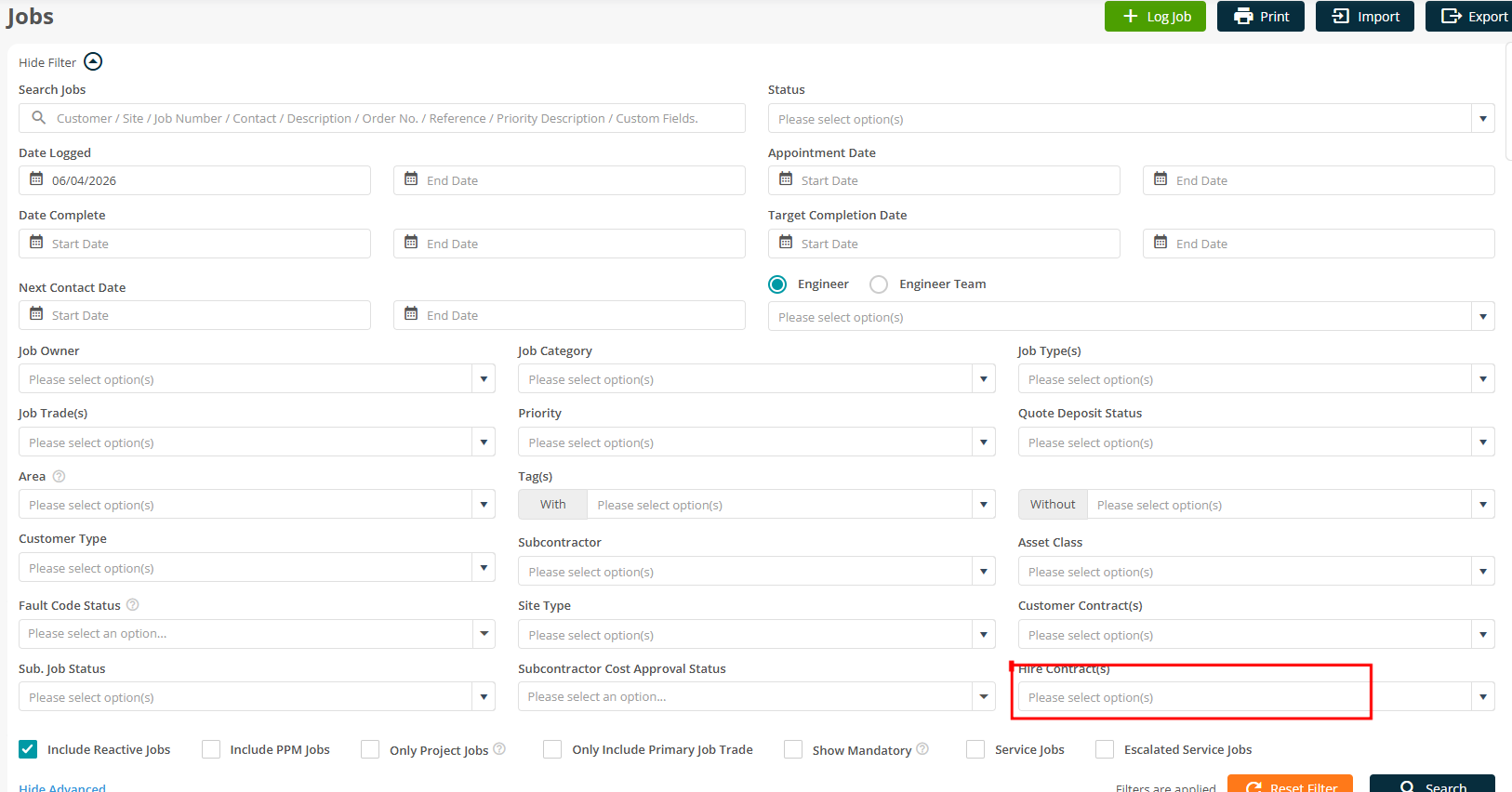
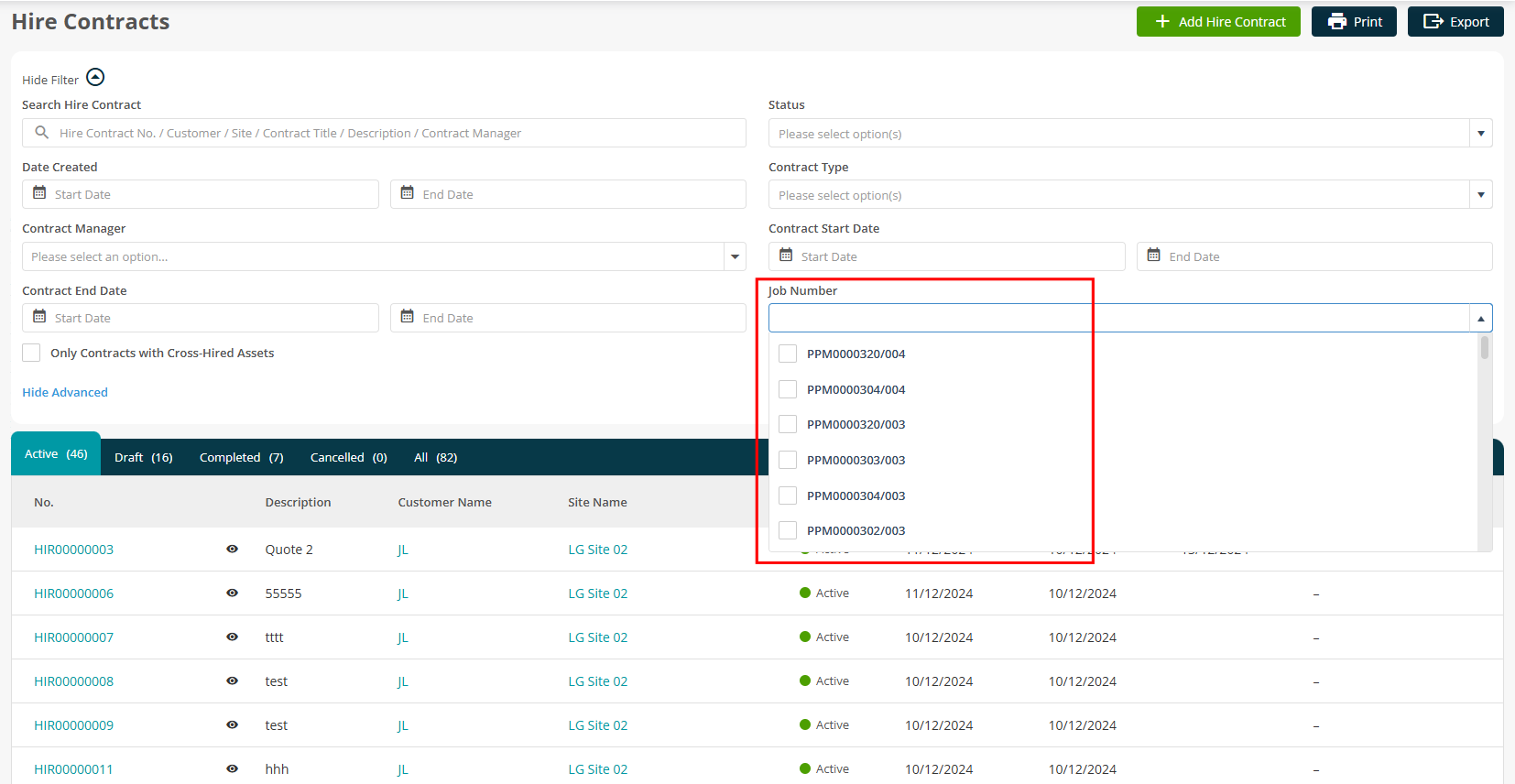
PPM contracts tab in hire contracts
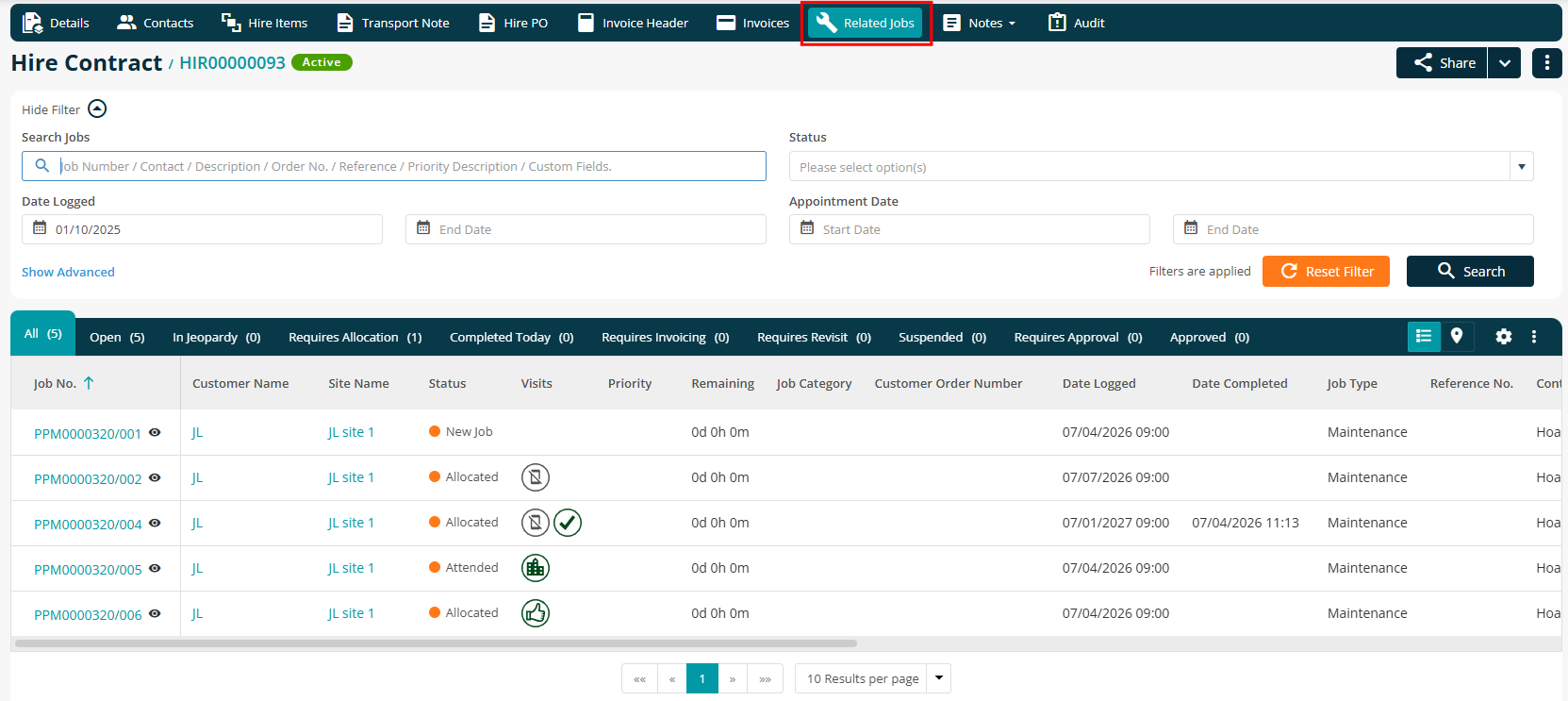
- A new Related Jobs tab has been added to the Hire Contract details screen, showing all linked PPM Contracts with the same columns and filters as the main listing.
To learn more about the Hire advanced app, click here.
3. Service job updates
Escalation letter template selection
- You can now select an escalation letter template at service configuration level.
- A template dropdown is available in Add/Edit Service within the Customer > Base Configuration area.
- The selected template is used automatically when generating escalation letters
.jpg)
Customer-level appointment time slots
- Appointment time slots can now be configured at customer level, allowing more flexibility when scheduling.
- Includes start and end times
- Optional labels such as Morning, Afternoon, or Evening
.png)
New date and appointment tags for service letters
- New DOCX tags are available for Reminder and Escalation Letters:
- Appointment Date (long format including day of the week)
- Appointment Period Label
- Appointment Period Time Range
Service letter date consistency
- Service letters now retain the original generated date, ensuring consistency when documents are reissued or downloaded again.