Features scheduled for release on 29/06/2026. The functionality detailed will not be available in the system until this date. However, please note that this is an ETA and may be subject to change.
Release Topics
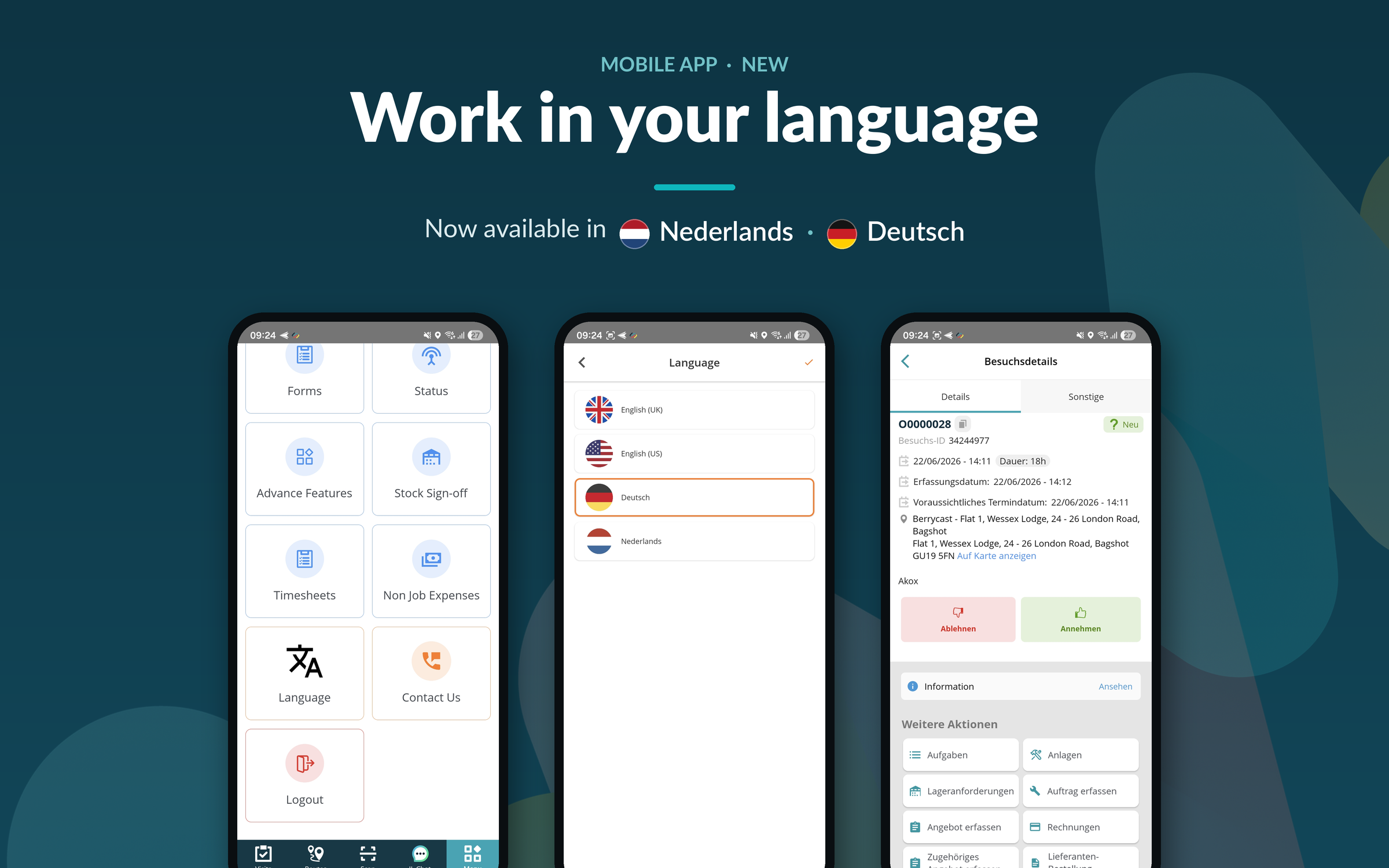
- Mobile app now available in Dutch and German!
- Job completion controls
Release Details
1. Mobile app now available in Dutch and German!
- The mobile app is now fully localised in Dutch and German. Engineers and field users can switch their device language to Dutch or German, and the app interface, menus, labels, buttons and notifications will display in the selected language.
- This makes the app easier to use for teams across the Netherlands, Belgium, Germany, Austria and Switzerland, reducing onboarding time and the risk of errors caused by language barriers.
2. Job completion controls
- The Confirm job completion on time entry setting, introduced in the recent back office release, is now supported in the mobile app!
- When enabled, engineers are prompted to confirm whether a job should be marked as Completed after submitting a timesheet entry.
- The confirmation is only displayed when all visits have been completed, or for single-visit jobs, helping to prevent multi-visit jobs from being completed too early. If other visits are still outstanding, an informational message is shown instead.
- The prompt works both online and offline, providing a consistent experience between the back office and mobile app.
.png)
.png)
Bug Fixes
- Resolved app synchronisation problems that could occur mid-visit, including assets and job data that failed to sync correctly.
- Fixed a synchronisation error that could occur when completing forms, which prevented the job form logbook from being created.
- Fixed an issue where a mandatory form did not appear on the engineer's app when working offline.
- Corrected an issue where some accepted jobs displayed an “Abort” option instead of “Complete”.
- Resolved an issue affecting job task lists.
- Fixed an issue where engineers could not access previous forms recorded against a site.
- Fixed an issue where the forms logbook displayed incorrect information.
- Fixed an issue on Android where the asset name did not show on the logbook after a Comm Layer sync.
- Fixed an issue where REFCOM details did not populate on Android devices.
- Resolved a REFCOM-related issue.
- On iOS, you can now move to the next or previous screen by swiping left or right.