Features scheduled for release on 01/10/2026. The functionality detailed will not be available in the system until this date. However, please note that this is an ETA and may be subject to change.
Release Topics
- Stock Request Enhancements
- BoM Assembly Enhancements
- Job Template Enhancements
Release Details
1. Stock Request Enhancements
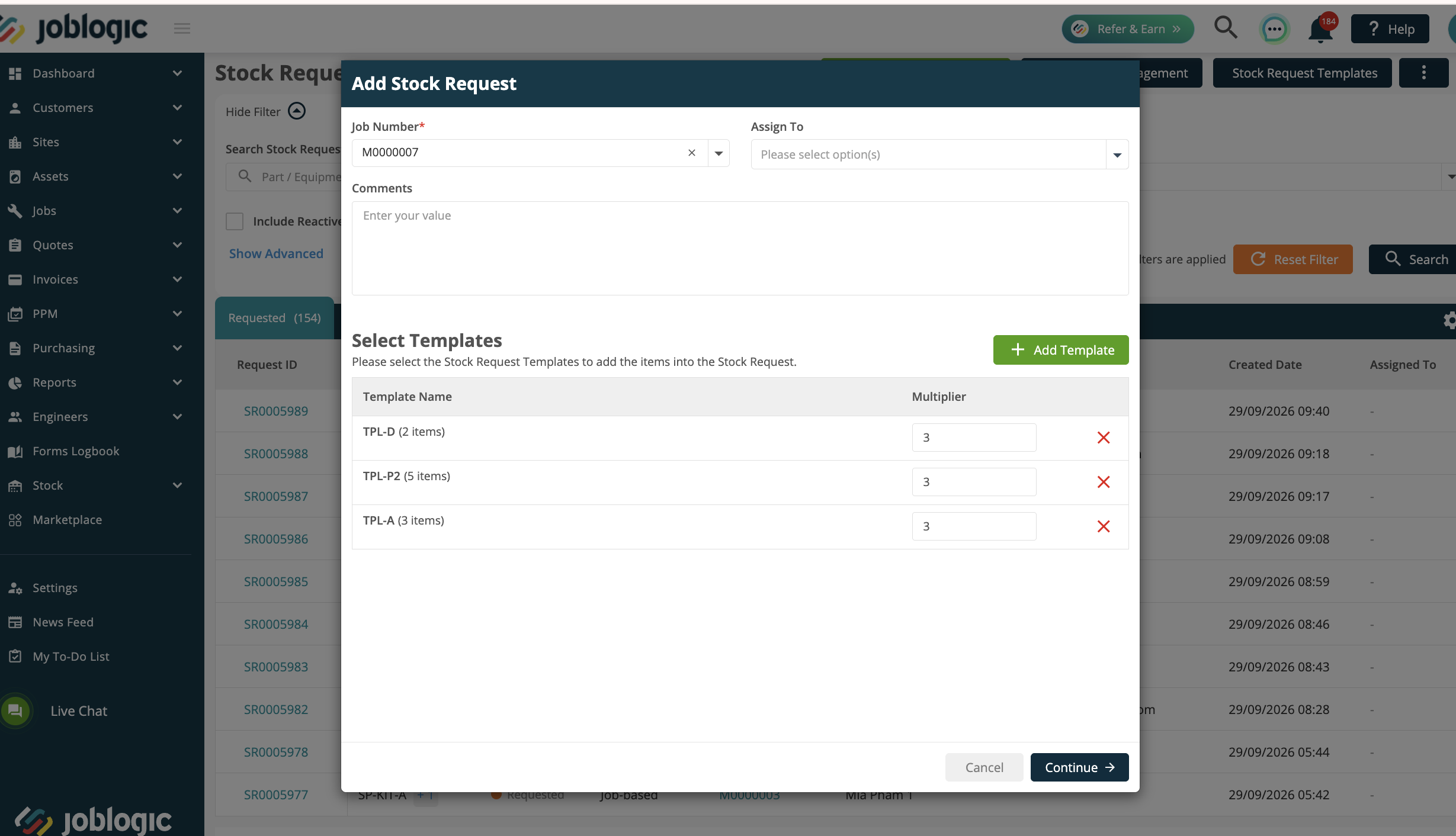
Stock Request Template Multiplier and Quantity Editing
- Stock Request Templates now provide greater flexibility when applying templates across Web, Mobile and Job Templates.
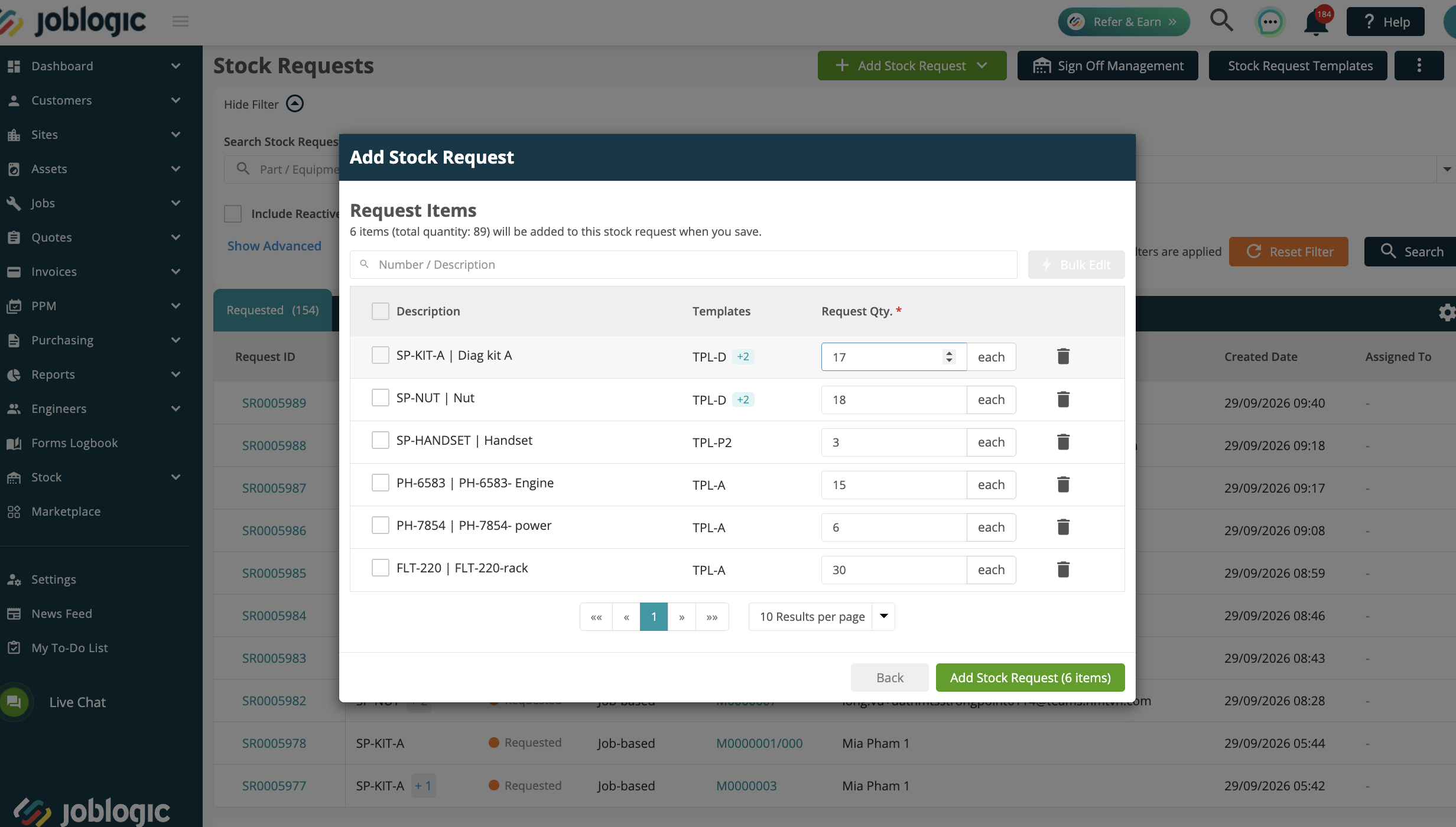
- When applying a Stock Request Template, users can enter a Multiplier and review the calculated quantities before applying the template. Individual quantities can also be adjusted before the Stock Request is created.
- Once a Stock Request has been created and remains editable, authorised users can also update quantities directly against individual lines or use Bulk Edit Quantity to update multiple lines in a single action.
- Quantities cannot be reduced below amounts that have already been picked, issued, dispatched or otherwise processed. All quantity changes are recorded in the Stock Request audit trail, including the previous and new quantity.
Stock Request Creation Notifications
- Stock Request creation emails can now be configured to provide greater control over who receives notifications.
- Administrators can choose to send notifications to the user assigned to the Stock Request or specify recipients manually, with an optional CC list available for both options.
- The email now includes key Stock Request information, including the Job Number, Customer Name, Site Name and Reference Number. The email subject also includes the Customer and Site where available.
- Notifications are only sent when a Stock Request is created and do not send for drafts or subsequent edits.
Stock Location and Rack/Shelf Selection
- Stock Request Bulk Pick and Stock Issue screens have been updated to make Stock Location and Rack/Shelf selections easier to identify, with more space available to display full names.
- When a Stock Location is selected, eligible Rack/Shelf options now show their available-to-issue quantities. When a Part is selected, Joblogic automatically defaults to the Rack/Shelf with the highest available quantity, while still allowing users to select an alternative source where required
- Availability is revalidated when the Stock is issued to help ensure the selected source and quantity are still valid.
Click here to read the Stock Request guide.
2. BoM Assembly Enhancements
Multi-Location and Multi-Rack/Shelf Picking
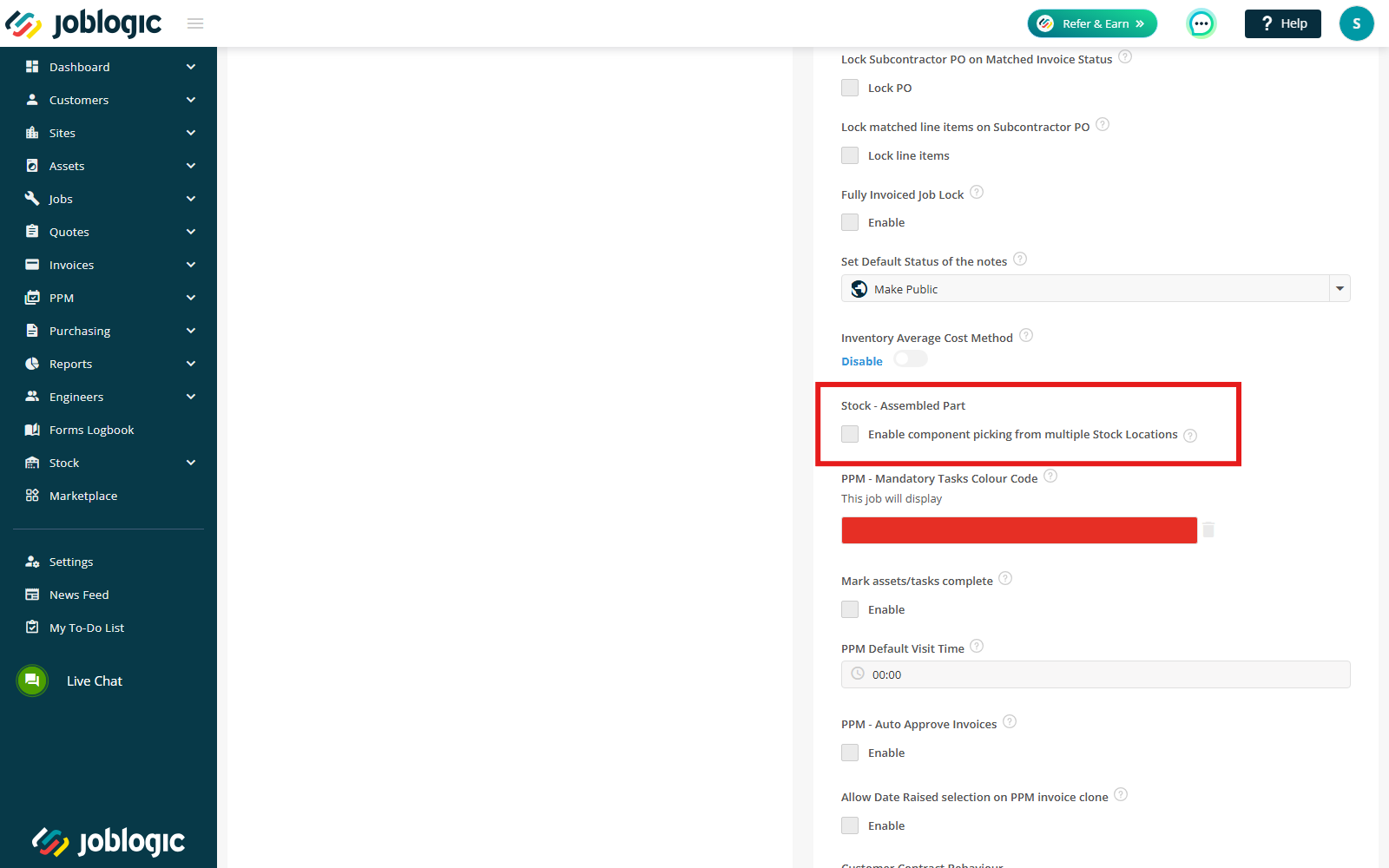
- A new Allow component picking from multiple Stock Locations setting is available in the BOM Assembly Marketplace App.
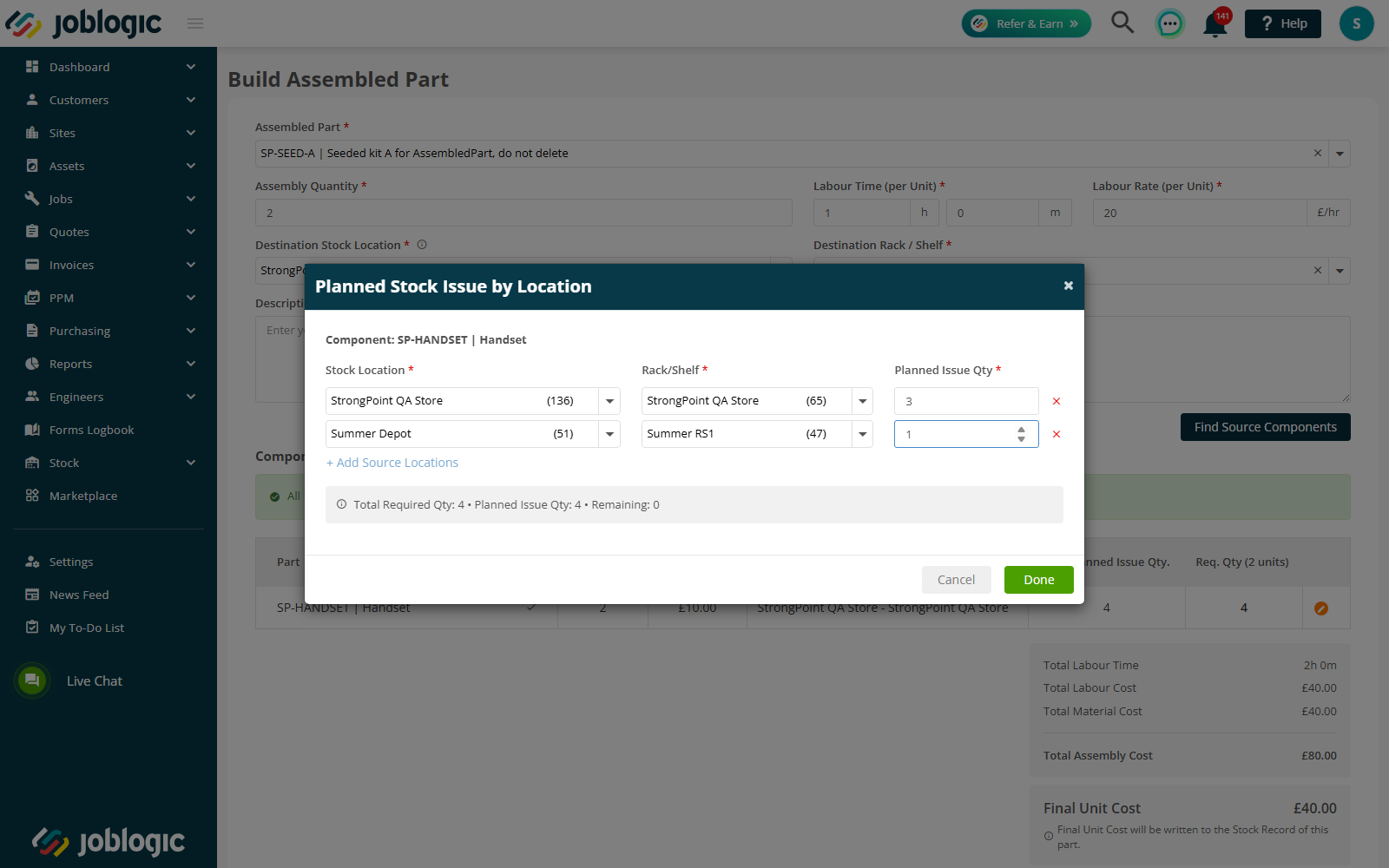
- When enabled, components can be picked from multiple Stock Locations, with each location supporting multiple Rack/Shelf sources. When disabled, the existing behaviour remains unchanged, allowing components to be picked from a single Stock Location across multiple Rack/Shelf positions.
- This provides greater flexibility when assembling Parts where the required component quantity is held across different Stock Locations.
Controlled Component Picking
- The Build Assembled Part process now provides greater control over where component Stock is taken from.
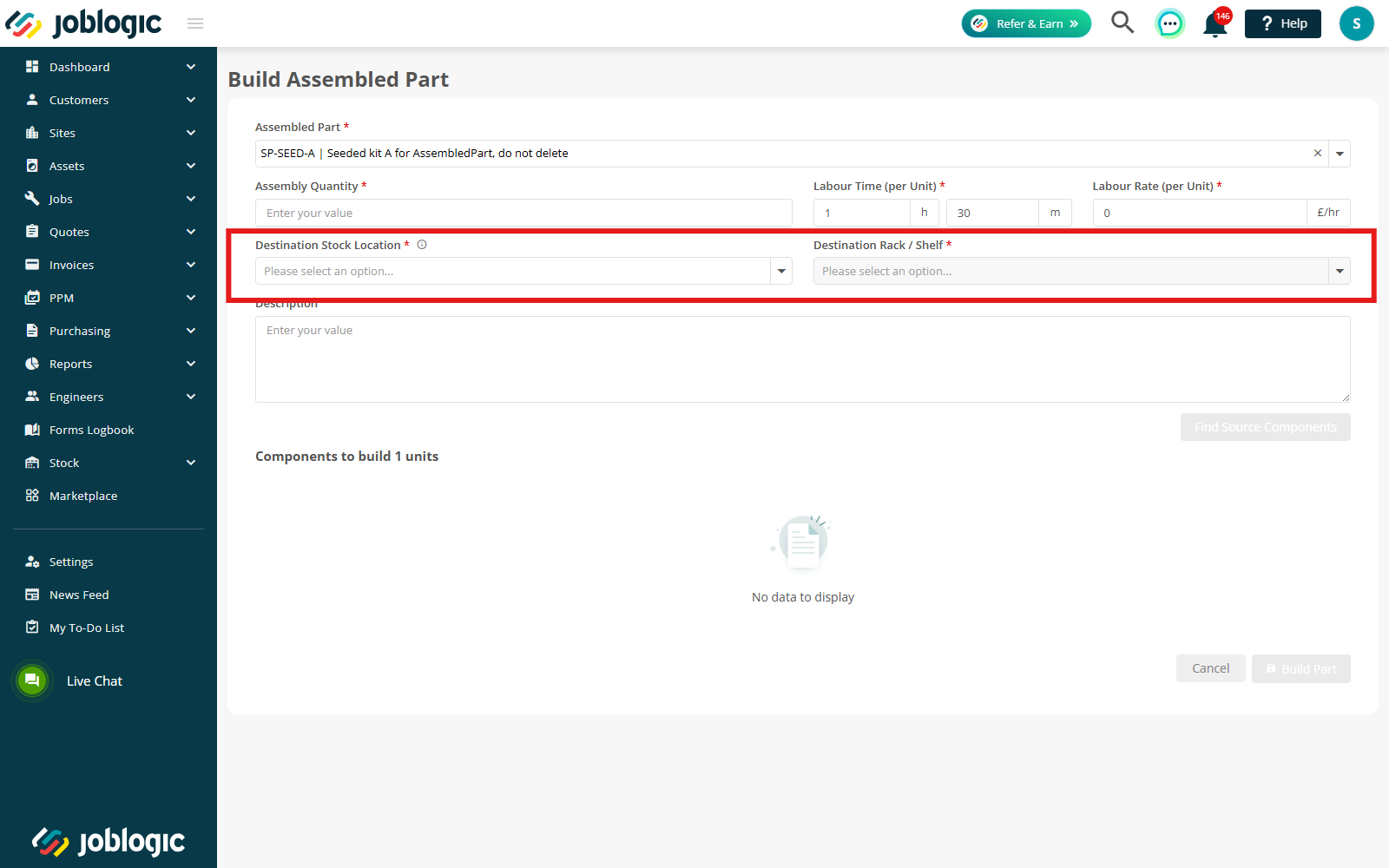
- Stock Location and Rack/Shelf have been renamed to Destination Stock Location and Destination Rack/Shelf to distinguish where the completed assembled Part will be stored from the locations used to pick its components.
- Using Select Stock Sources, users can split a component quantity across eligible Rack/Shelf positions and, where enabled, across multiple Stock Locations.
- Sources with no available Stock cannot be selected, and users cannot select more than the available quantity or the remaining component requirement. The assembly cannot be completed until the full required quantity has been allocated.
- Once completed, Stock is deducted from the selected sources and the assembled Part is added to the chosen Destination Rack/Shelf. Component deductions are recorded in the existing audit trail.
Expanded Part Display
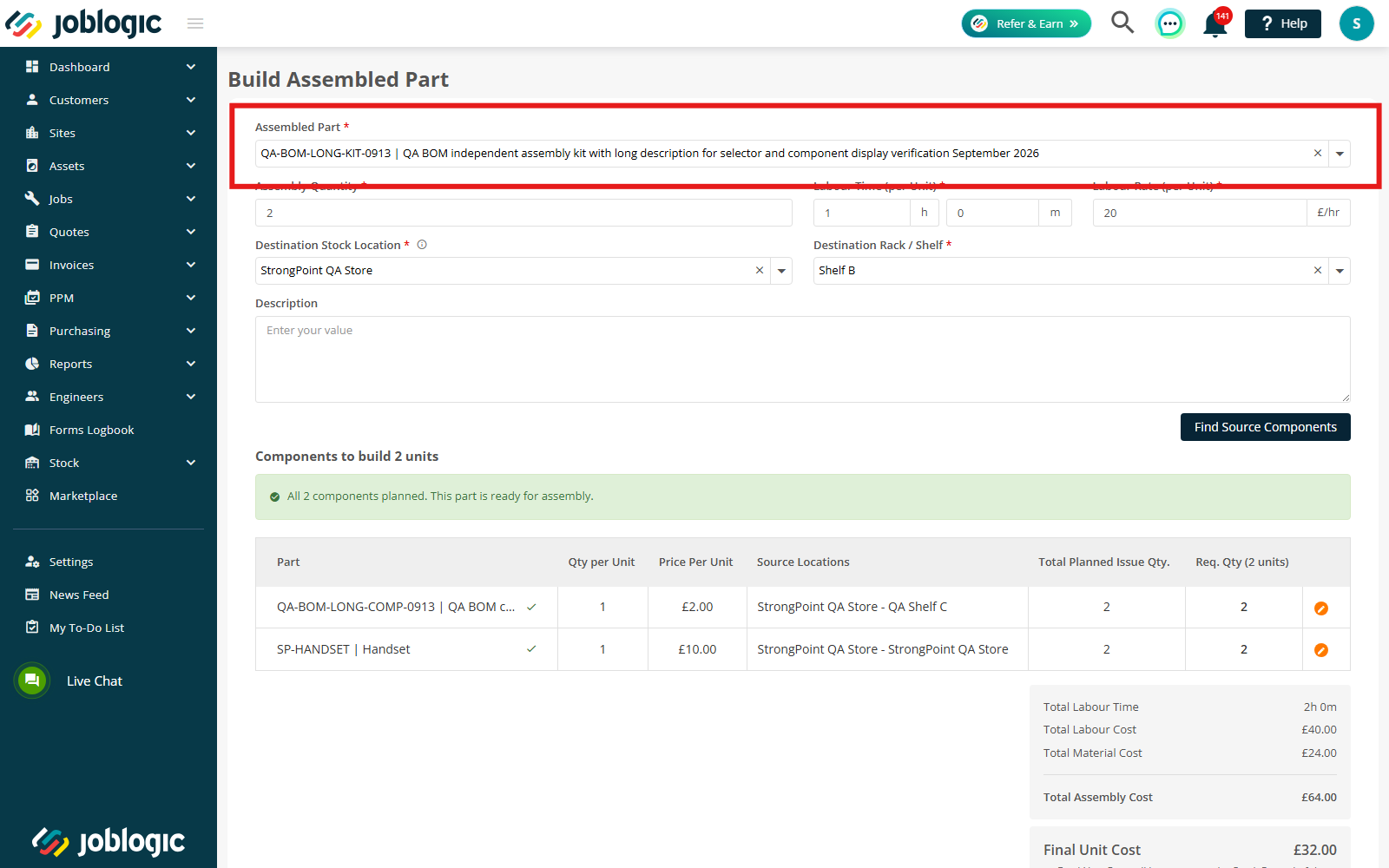
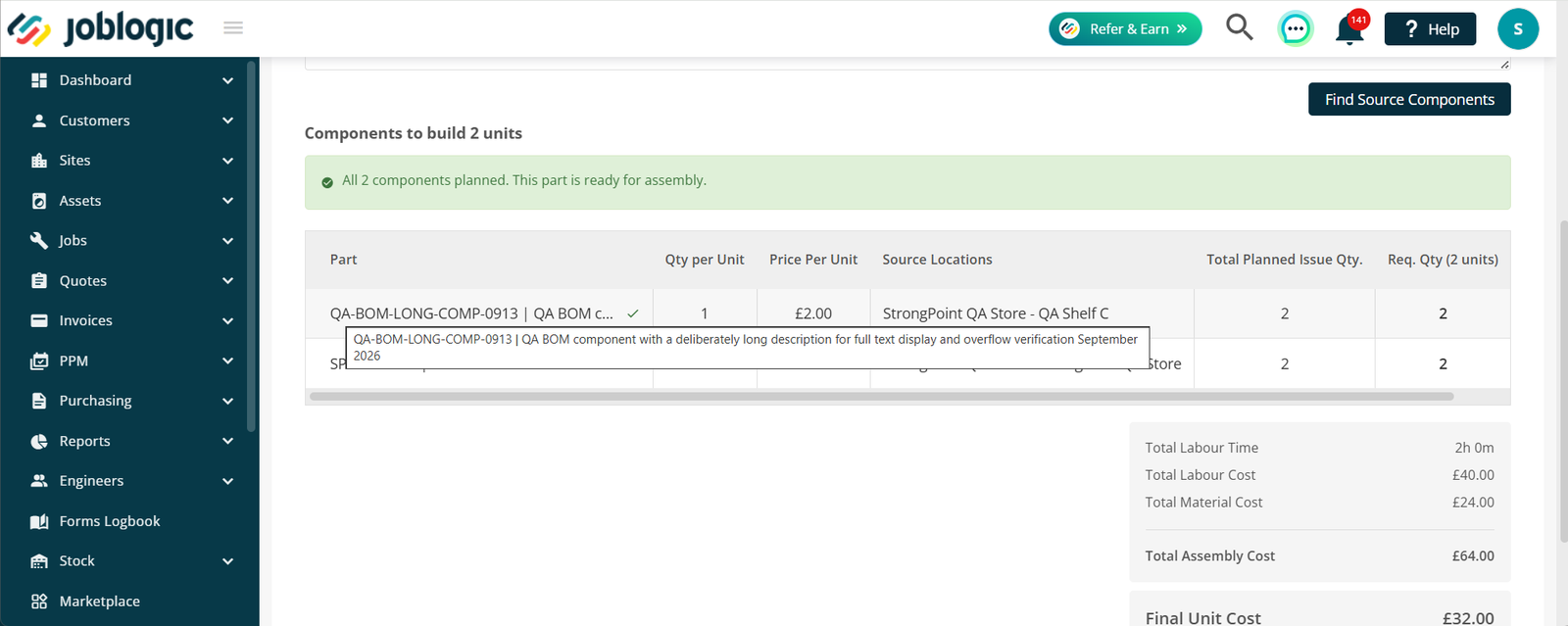
- The Part selector and Component Part List now provide more space for displaying the Part Number and Part Description.
- Where the full value cannot be displayed, the complete information remains available when hovering over or focusing on the relevant Part.
Check out the Bill of Materials guide here.
3. Job Template Enhancements
Additional Job Fields
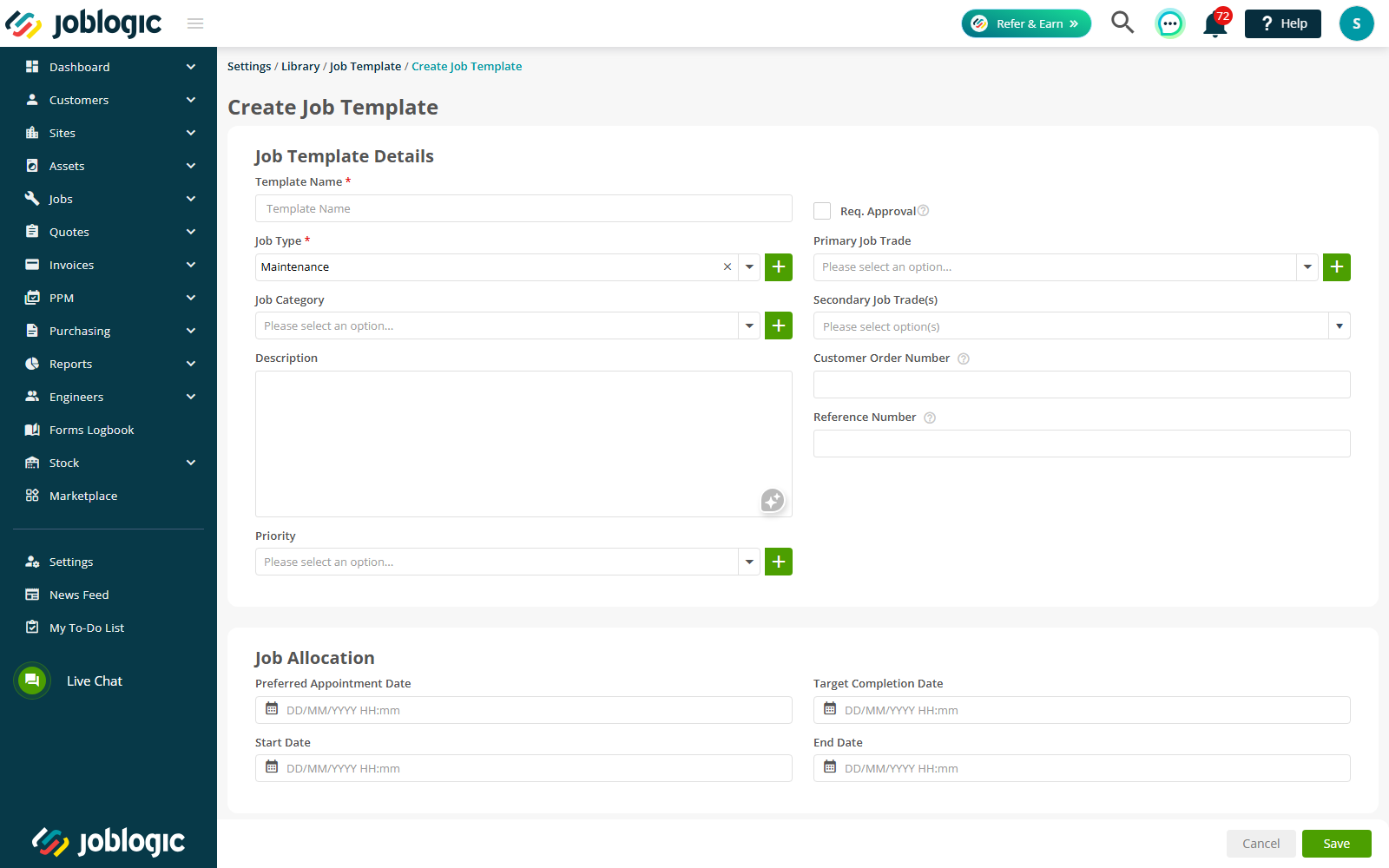
- Job Templates can now include six additional Job fields:
- Customer Order Number
- Reference Number
- Start Date
- End Date
- Preferred Appointment Date
- Target Completion Date
- These fields are optional and can be saved blank. Once configured, their values are retained when the Job Template is reopened and are also copied when using the existing Copy/Duplicate Job Template function.
Applying Additional Fields to Jobs
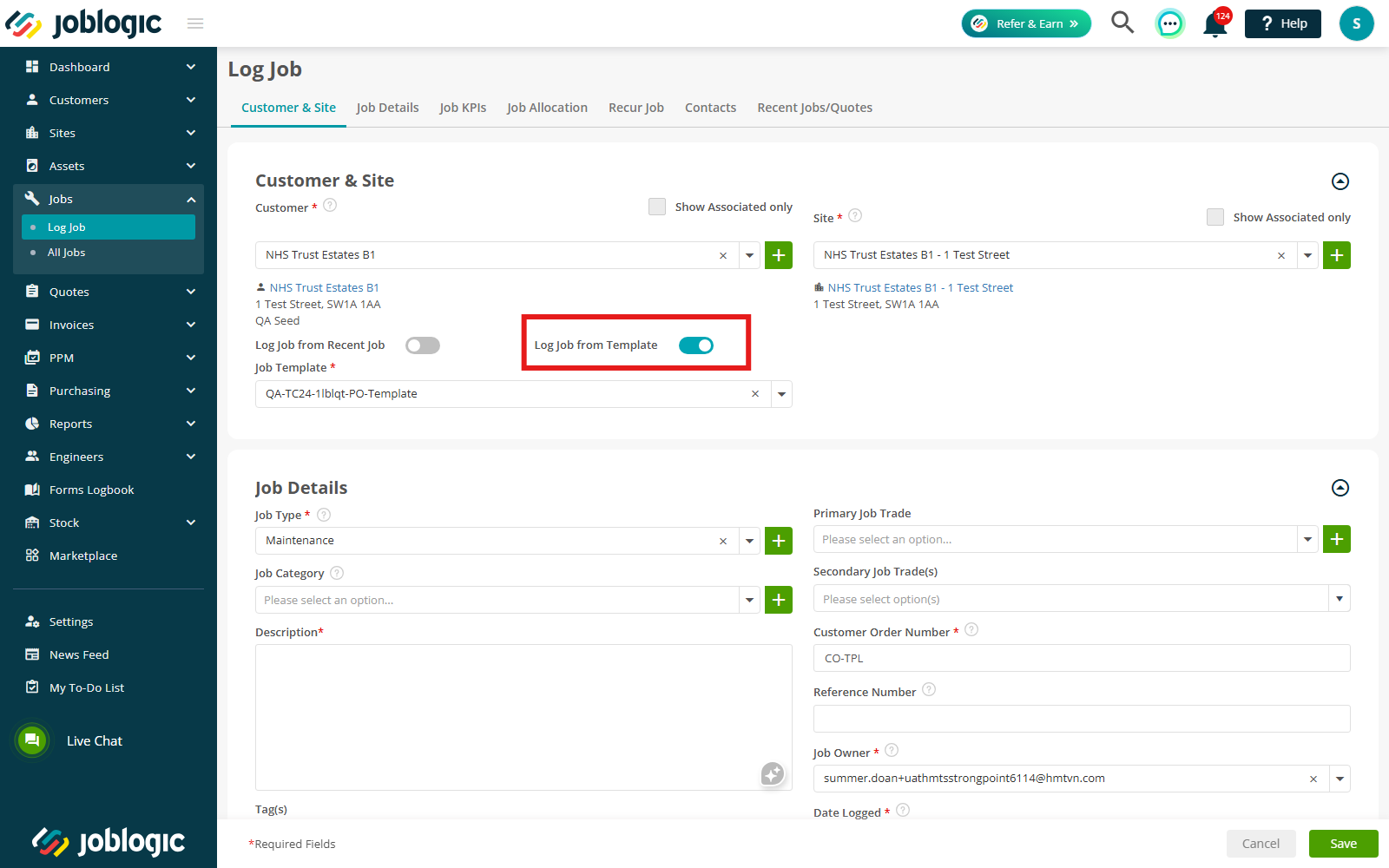
- When a Job Template is applied, any populated values for these fields are copied to the corresponding Job fields.
- Blank template fields do not overwrite information already entered on the unsaved Job, and all copied values remain editable before the Job is saved and through the existing Job edit process.
- Changes made to a Job do not affect the original Job Template.
Copy Additional Fields from Recent Job
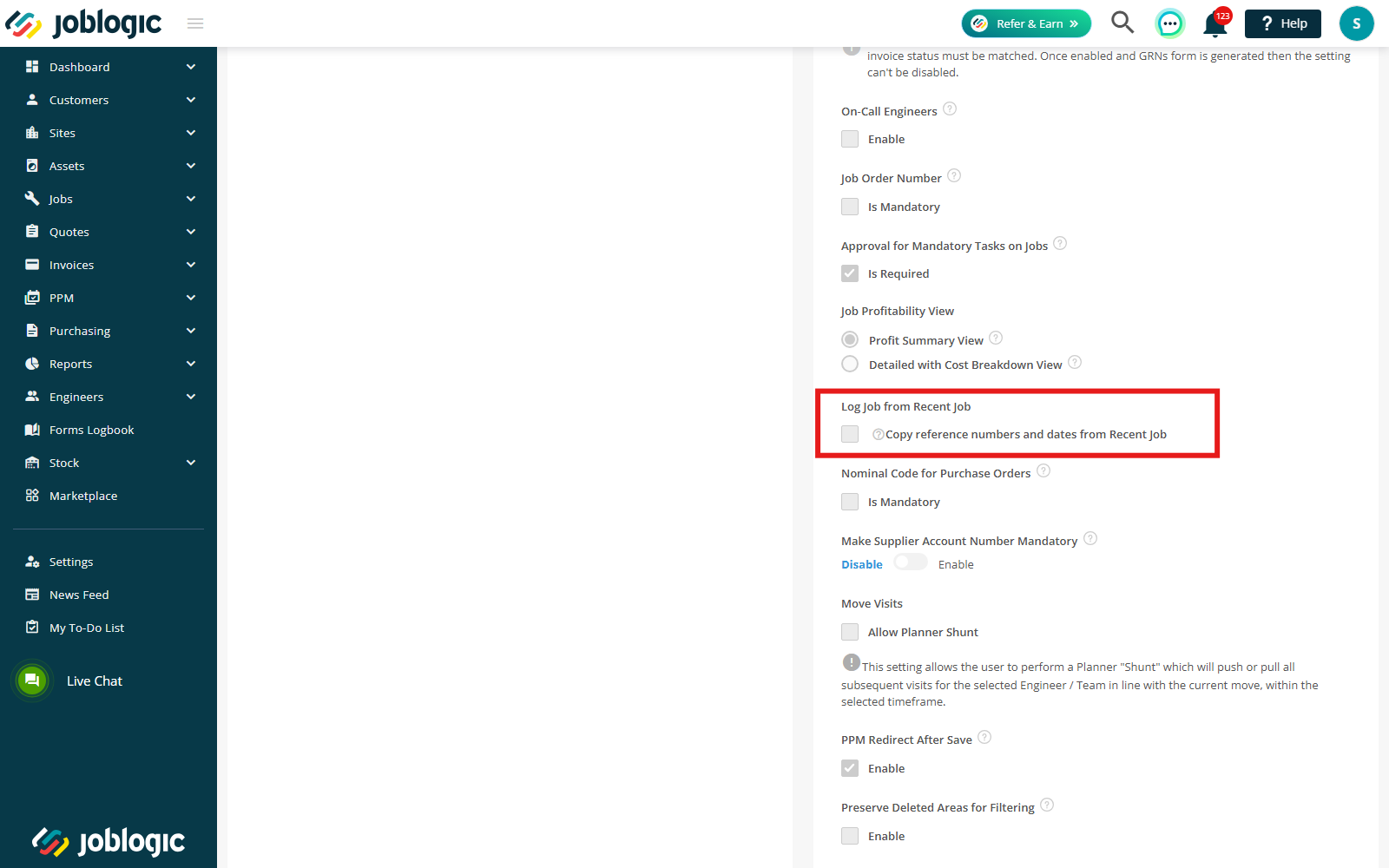
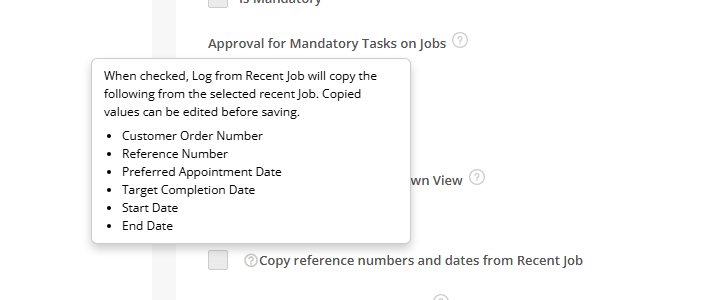
- A new Copy additional fields from Recent Job setting controls whether these six fields are copied when using Log from Recent Job.
- The setting is disabled by default. When enabled, the values from the selected recent Job are copied to the new Job and remain editable. The original Job is not affected by any changes made to the new Job.
- When the setting is disabled, the six additional fields are not copied and the existing Log from Recent Job behaviour remains unchanged.
Check out the Job Templates guide here.