Features scheduled for release on 29/09/2026. The functionality detailed will not be available in the system until this date. However, please note that this is an ETA and may be subject to change.
Release Topics
- Sign-in with Microsoft (SSO Enforcement)
- Schedule of Rates (SOR) items on PPM visits
- Hire Asset notes on Mobile
- Refrigerant Gas Ordering from Mobile
Release Details
1. Sign-in with Microsoft (SSO Enforcement)
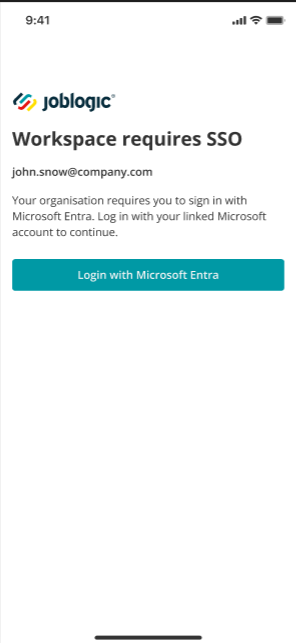
- In line with last week's web release, sign-in now starts with the email address. If the engineer's account is enforced for Single Sign-On, they are taken straight to Microsoft and the password field is not usable; engineers who are not enforced continue to sign in with email and password (with Microsoft available as an option).
- First-time linking is done by the engineer: the first time an enforced engineer signs in, they confirm their Joblogic password once and sign in with Microsoft; from then on Microsoft is the only way in.
- After signing in, engineers with access to one company go straight to All Visits; those with access to several choose a company first. Enforcement is set per company.
- If the Microsoft account isn't linked to Joblogic, the app shows: "The account has not been associated with Joblogic system."
Check out the SSO guide here.
2. Schedule of Rates (SOR) items on PPM visits
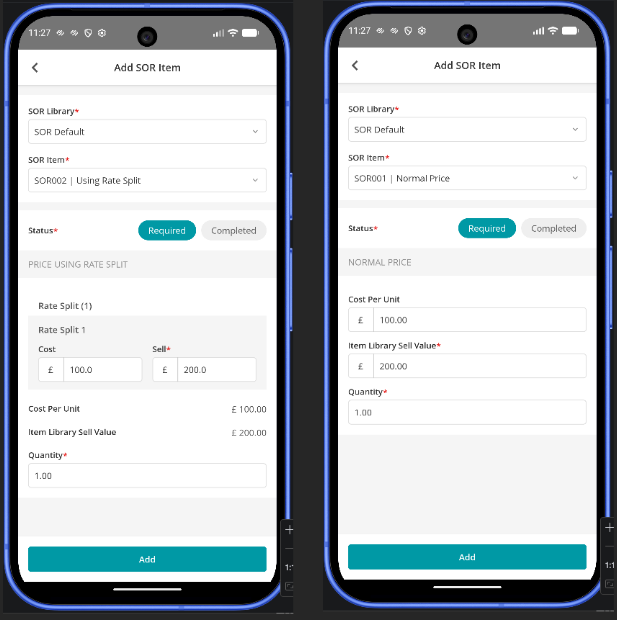
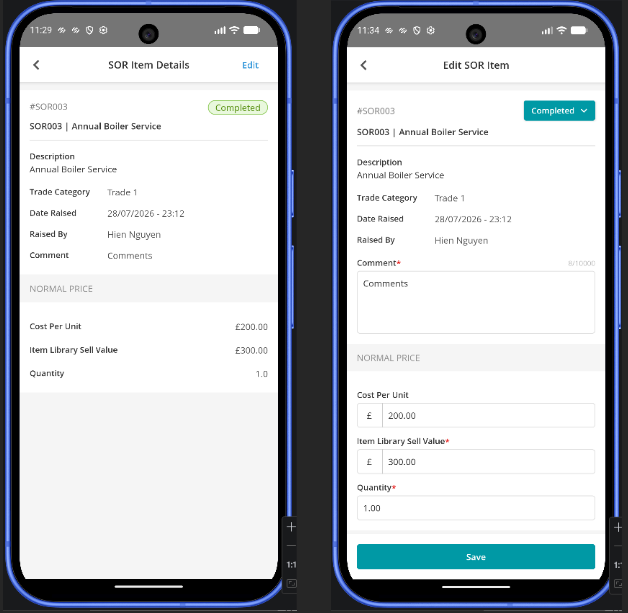
- Engineers can now add and edit SOR items on a PPM visit directly from the mobile app, mirroring the existing Reactive-job SOR behaviour.
- Both Normal Price and Rate Split SOR items are supported. When editing a rate-split item, each split's cost and price can be adjusted (splits themselves can't be added, deleted or switched on mobile).
3. Hire Asset notes on Mobile
- Engineers can now view and add notes against Hire Assets and Cross-Hire Assets directly from the Mobile app.
- Notes added in Mobile are synchronised with the Back Office, helping keep asset information up to date and accessible across both platforms.
- This makes it easier for engineers to record and access important information about hire assets while working on site.
4. Refrigerant Gas Ordering from Mobile
- Engineers can now create refrigerant gas purchase orders directly from the Joblogic Mobile app, selecting the supplier, delivery location, gas type, weight and number of cylinders required.
- Purchase orders can be emailed to suppliers directly from Mobile, with configurable email content and CC addresses.
- Engineers can record full or partial deliveries, including cylinder serial numbers and individual cylinder weights where the delivered cylinders differ from the original order.
- Refrigerant cylinder records are automatically created following delivery, providing visibility of cylinder details, supplier, delivery date and stock location in Back Office.
- Back Office users can also manage refrigerant purchase orders and cylinder distribution, including orders delivered directly to customer sites.
Click here to read the full guide.