Features scheduled for release on 25/08/2026. The functionality detailed will not be available in the system until this date. However, please note that this is an ETA and may be subject to change.
Release Topics
- Batch Move & Deploy Visits
Marketplace Enhancements
- Multi Sectioned PPM Quotes
- Quote Request from Customer Portal
- Job Spend Estimator
- Geo-Stamps on Image Uploads from Mobile
Release Details
1. Batch Move & Deploy Visits
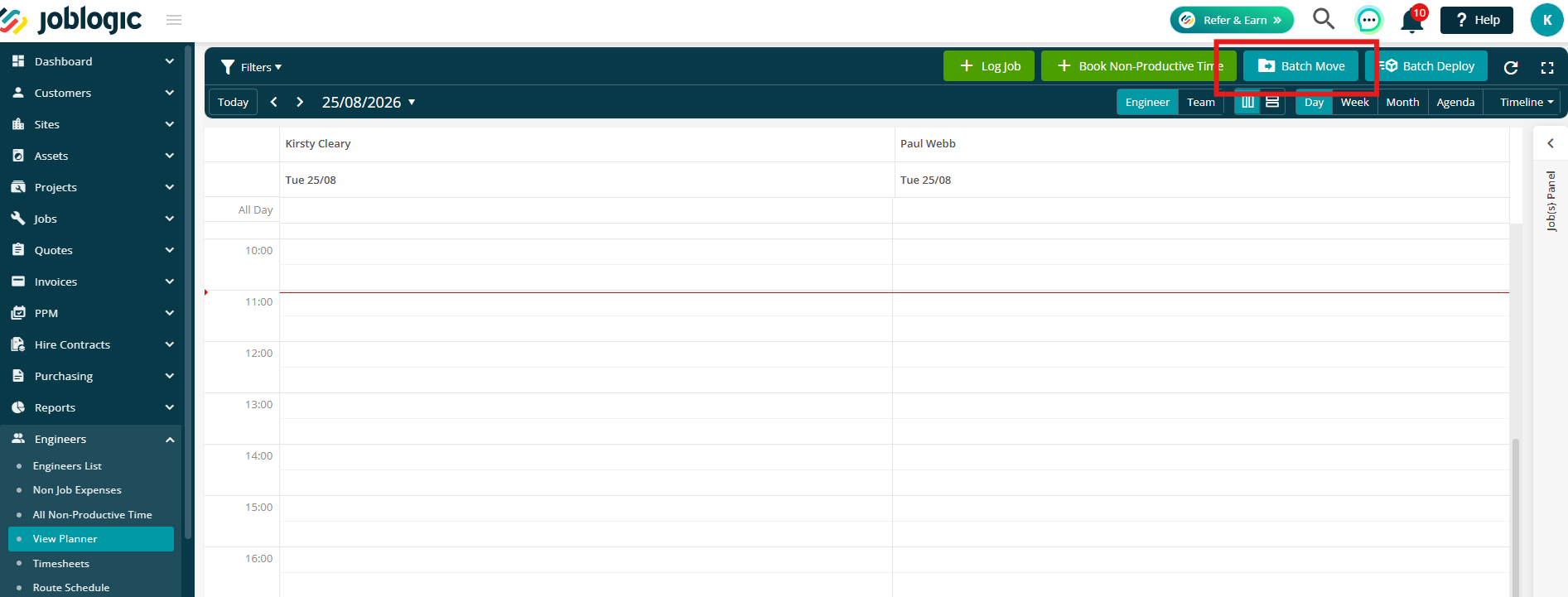
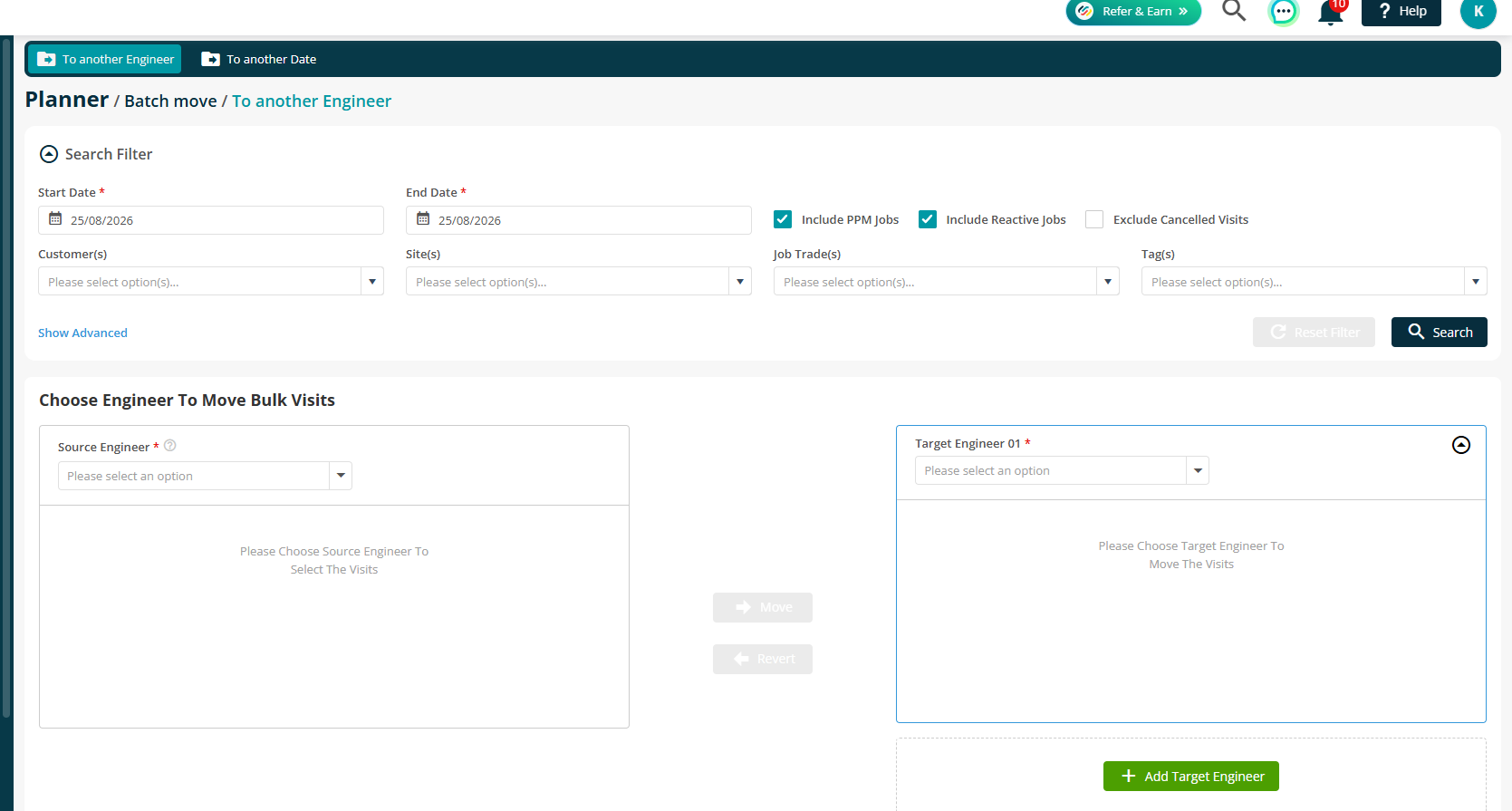
- The Batch Move feature allows planners to reassign multiple visits from one engineer to another in a single action from the Engineer Planner.
- By enabling the Redeploy setting, inactive engineers can also be selected as the source engineer, making it easier to reassign any remaining visits when an engineer leaves or becomes inactive.
- Visits can be selected and moved to another engineer while retaining their existing statuses, helping to reduce manual effort when managing and rescheduling workloads.
Check our the user guide here.
Marketplace Release Details
1. Multi Sectioned PPM Quotes
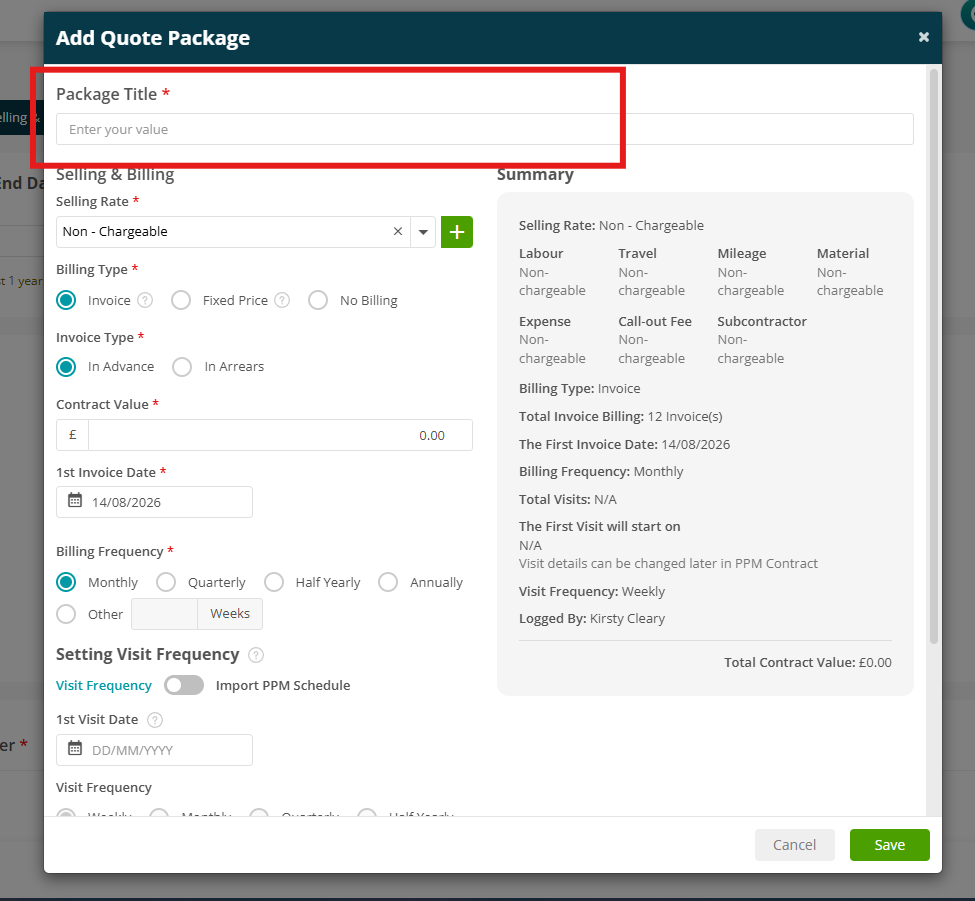
- PPM quotes can now include up to five package options, allowing customers to compare different service and pricing options before selecting the package they want to proceed with.
- Each package can have its own pricing, billing and visit schedule, while shared quote information is managed once at quote level.
- Customers can select their preferred package through the Customer Portal, with the selected package then used when converting the quote into a PPM Contract.
- New merge tags are also available to include package names and contract values on quote documents.
Click here to read more about this new app
.png)
2. Quote Request from Customer Portal
- The new Quote Requests app allows customers to submit requests for additional work or services directly through the Customer Portal.
- Submitted requests can be reviewed by the back office and either accepted or rejected. Accepted requests can then be converted into a quote, with relevant information such as assets, notes and attachments carried across to help streamline the quoting process.
- The app also includes configurable permissions and notifications, giving businesses greater control over who can submit, manage and receive updates about quote requests.
For more information on setting up and using this feature, please see the Quote Requests guide.
.png)
.png)
3. Job Spend Estimator
- The Job Spend Estimator introduces configurable spend limits that can be applied to jobs, helping businesses manage work against pre-approved budgets or purchase order values.
- A Job Spend Limit can be configured at customer level and is automatically applied to new jobs logged for that customer. This removes the need to manually enter the limit each time and helps ensure consistent financial controls are applied.
- The Job Spend Limit can also be viewed directly from the All Jobs screen, giving users greater visibility of the value set against each job without needing to open the job details.
- This helps teams monitor job spend more effectively and identify work that may be approaching or exceeding an agreed financial limit.
Click here to read more about this app.
.png)
4. Geo-Stamps on Image Uploads from Mobile
- A new app allows photos uploaded from the mobile app to include
location and timestamp information. Mobile photos can capture:- GPS coordinates
- Date and time
- Address
- Administrators can configure a radius to control how the address
information is displayed depending on whether the photo was taken
within or outside the configured area. - If GPS information is unavailable, the photo displays Coordinates Not
Available. - This applies to photos uploaded through
- Job Attachments
- Asset Additional Info
- Notes
- Non-Job Expenses
Click here to read more about this new app!
.png)